














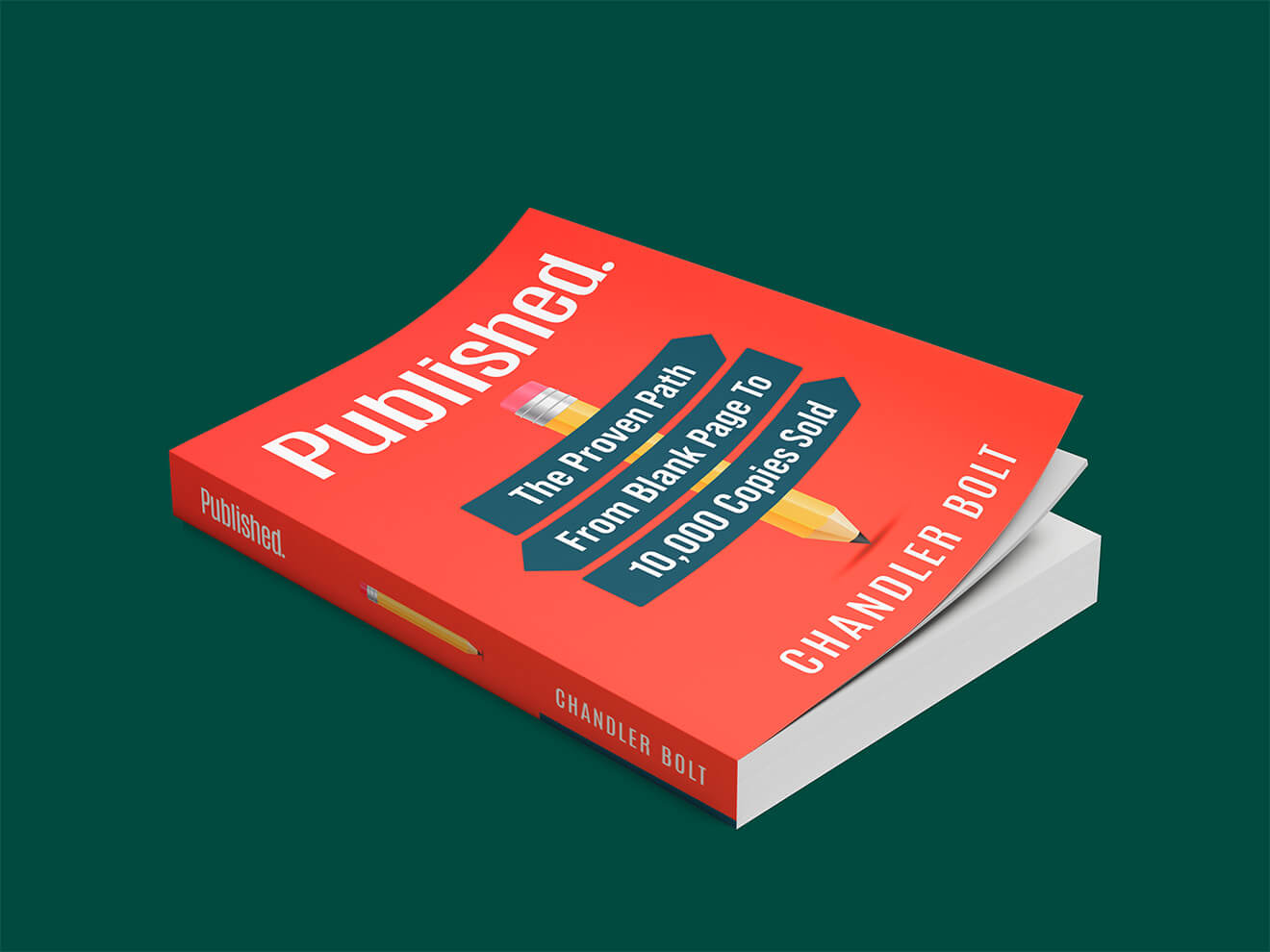



Have you ever opened a book and found the formatting to be awkward?
Maybe the margins are inconsistent, so the block of text on the page looks like it’s been stamped at an angle. Maybe there are strange inconsistencies with spacing or font size. Maybe it’s in a font that’s hard to read. Chances are, the author could have benefitted from book formatting software.
Formatting issues feel unprofessional and unpolished to the reader, and this will make them view your story more negatively, too.
If you can't afford professional formatting services (though they might be more affordable than you think!), that’s okay! Fortunately, there are plenty of book formatting software options on the market.
TL;DR
The best book formatting software depends on your budget, platform, and whether you need print, eBook, or both. Atticus ($147 one-time) is the top all-around pick for self-publishers. It handles both print and eBook on any operating system. Vellum ($199–$249.99) produces the most polished results but is Mac-only. Reedsy Studio and Kindle Create are the strongest free options. For design-savvy authors who want InDesign-level control, Affinity Publisher is now free. Here's the full breakdown.
What is book formatting software, and do you really need it?
Book formatting software helps authors transform a raw manuscript into a professionally laid-out file that's ready for print or digital publication. It controls margins, fonts, chapter headings, page numbers, spacing, and how the content flows across pages or screens.
You need it because formatting issues (inconsistent margins, awkward spacing, hard-to-read fonts) signal to readers that a book is unprofessional, even before they've read a single chapter. Whether you're publishing on Amazon KDP, IngramSpark, or distributing across multiple platforms, the right formatting software ensures your book looks as polished as anything on a traditional bookstore shelf.
If you can't afford professional formatting services, there are excellent tools that let you do it yourself at any budget level — including free.
Free book formatting software
If you’re a self-published author on a budget, I have good news. There are a couple free book formatting software options available to you!
While these options might be more limited than paid book formatting softwares, don’t let that deter you. It’s still possible to use these to make clean, readable manuscripts, and if that’s all you need, then there’s no need to break the bank on a formatting software you may not use more than once or twice.
TIP: If you're a children's book author, you'll definitely want to pay for formatting.
These are especially helpful for authors who are looking to publish e-books only through sites like Amazon KDP. Formatting e-books is generally a little easier than formatting a book for print, and you won’t need as powerful of a software to do that.
Here are the best free book formatting software options:
1. Kindle Create
Price: Free | Best for: Amazon KDP authors publishing eBooks
Kindle Create is Amazon's own formatting tool, built specifically for authors publishing through Kindle Direct Publishing.
Key features:
- Pre-built templates that automatically organize your book into chapters with professional styling, including drop caps and image placement options
- Live preview that shows exactly how your book will appear on Kindle devices before you publish
- Automatic table of contents generation as you upload your manuscript
Pros: Completely free, intuitive to use, and designed to integrate seamlessly with KDP. If your primary goal is a clean Kindle eBook, it's hard to beat.
Cons: It's locked into the Amazon ecosystem. You can't use it to format for other platforms or produce a print-ready PDF.
2. Reedsy Studio
Price: Free core features; premium plans from $4.99/month | Best for: Authors who want to write, edit, and format in one browser-based tool
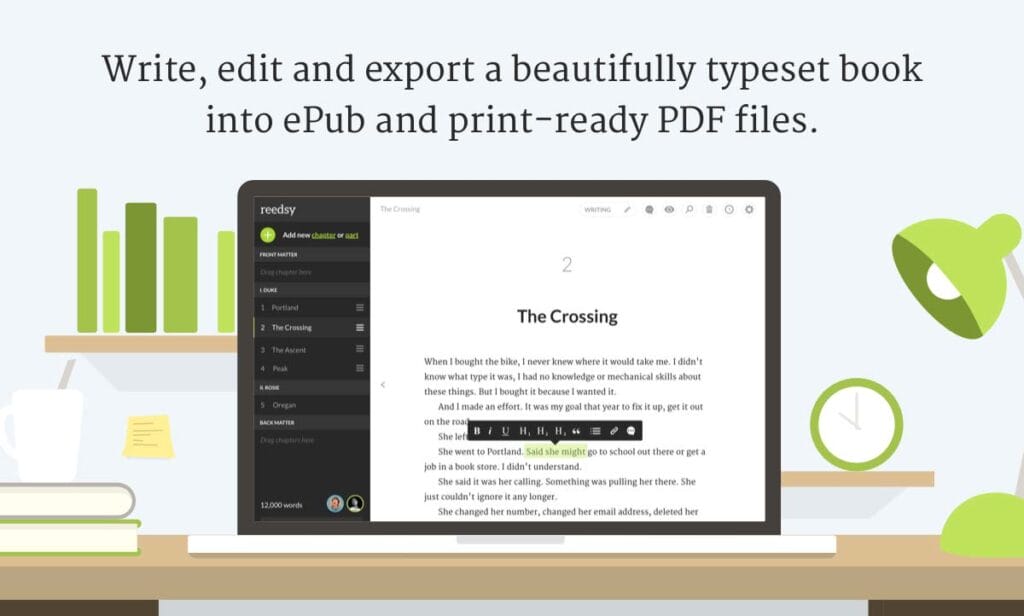
Reedsy rebranded its Book Editor to Reedsy Studio in mid-2025, adding planning boards for research and world-building, productivity features to support a writing routine, and collaborative book-sharing. The core writing, collaboration, and formatting features remain free.
Key features:
- Import .doc files from other word processors
- Real-time collaboration with editors using track changes and comments
- Automatic formatting that inserts your table of contents, copyright page, and chapter breaks without any manual work
- Export to EPUB 3 (compatible with all major distributors) and print-ready PDF
- Premium tiers: Studio Craft ($4.99/month) for writing stats, version history, and dark mode; Studio Outlining ($7.99/month) for unlimited planning boards and story structure templates
Pros: Completely free for core formatting features, incredibly beginner-friendly, and Reedsy provides extensive guides and FAQs to walk you through the process. Works in any browser, so no software installation is required.
Cons: No live device preview (you won't see exactly how your eBook looks on a Kindle before exporting). The planning boards and advanced productivity features now sit behind a paywall. Not ideal for complex illustrated layouts.
Related: Reedsy Review
3. Calibre

Price: Free | Best for: Tech-comfortable authors who need flexible eBook format conversion
Calibre is a free, open-source eBook management tool with solid conversion capabilities.
Key features:
- Converts between DOCX, HTML, EPUB, MOBI, AZW3, and more
- Works on Windows, macOS, and Linux
- Lets you easily adjust fonts and margins across an entire document
- Manages and organizes your entire eBook library
Pros: Excellent for converting your manuscript into eBook formats like EPUB or MOBI/KFX for Kindle. Free, powerful, and cross-platform.
Cons: No live preview as you edit. Not suited for advanced layouts involving image wrapping, custom chapter headings, or footnotes. Strictly for eBooks. Calibre cannot produce print-ready files.
4. Affinity Publisher
Price: Free| Best for: Design-confident authors who want InDesign-level control without the subscription
This is a significant new addition to the free tier. After Canva's acquisition of Serif in 2024, the new V3 release of Affinity (which combines Affinity Photo, Affinity Designer, and Affinity Publisher) was relaunched as a free product, though paid AI-powered add-ons are available.
Affinity Publisher exports to professional publishing formats including PDF (with bleed and crop marks), SVG, JPEG, PNG, TIFF, and EPUB, and supports IDML files exported from Adobe InDesign.
Key features:
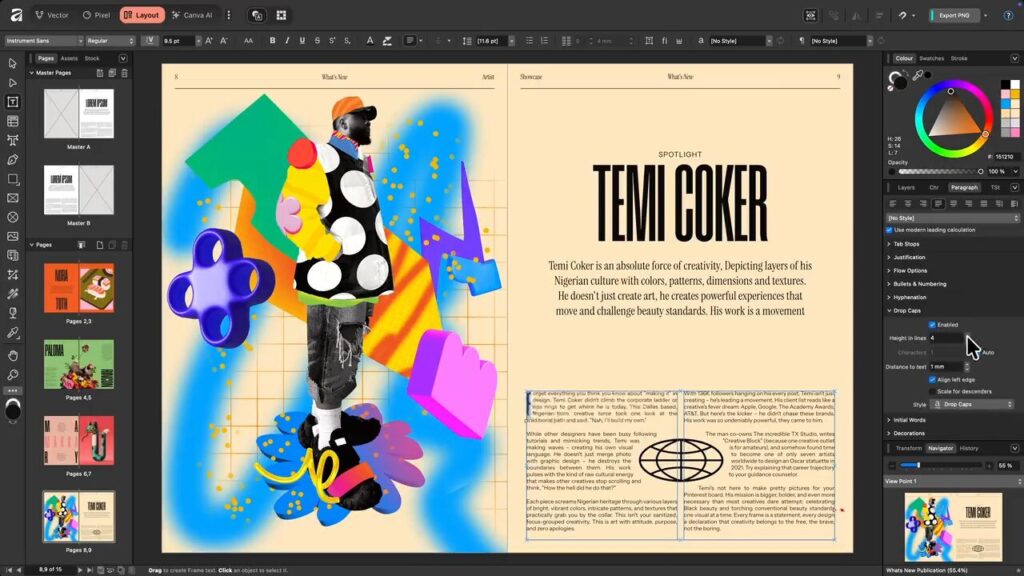
- StudioLink technology that allows seamless integration with Affinity Designer and Affinity Photo, enabling vector and raster editing directly within the layout environment
- Master pages for consistent headers, footers, and page numbering across your entire book
- Advanced typography: OpenType features, drop caps, text on a path, and variable font support
- Smart Master Pages and shared text styles that let you build once and apply everywhere - no duplicated formatting work
- Data Merge for producing personalized or catalog-style documents
Pros: Professional-grade layout tool that rivals Adobe InDesign, now free. Available on Windows, macOS, and iPad. Produces print-ready and eBook files. For any author who doesn't want to pay an annual fee for InDesign just to lay out one or two books a year, Affinity Publisher is a great alternative.
Cons: Significant learning curve compared to author-focused tools like Atticus or Vellum. Not designed specifically for book publishing, so you'll need to set up your own templates and trim sizes. Best suited for authors comfortable with design software.
Paid book formatting software
Investing in book formatting software is a great idea if you’re a self-published author with a platform and a long-term plan to publish multiple books. Learning to use a book formatting software will enable you to create your own books, and this will give you more creative control over the process and over your book’s production and launch schedule.
Having a good book layout template to start with can expedite the formatting process. Then, if you know for sure how long it will take you to format the final version, you’ll be able to plan accordingly.
I talked about how free book formatting software can save you some cash, and paid book formatting software might seem like an expensive alternative. However, these software options will still be cheaper than hiring a formatter. And many of them have book writing software options as well.
You may even have some of these software options already downloaded, and you may be using them to draft your novel already!
With that in mind, here are some paid book formatting software options to take a look at if you’re thinking about investing:
5. Atticus

Price: $147 one-time | Best for: Self-publishers who want an all-in-one writing and formatting tool on any device
Atticus is our top pick for most self-published authors. It positions itself as a one-stop solution for indie authors, combining a book editor and formatting tool in a single browser-based platform (draft, format, and export for print or eBook) all without juggling multiple apps.
Key features:
- 17 formatting templates plus a granular theme builder where you can adjust fonts, sizes, and alignment for nearly every element in your book
- Real-time previewer that shows how your book will look across different eReaders
- Works on any platform: Mac, Windows, Chromebook, Linux, and via web browser
- Integrates with ProWritingAid for grammar checking
- Writing tools built in: word count tracking, goal setting, writing timers
- Autosave backups to the cloud or your local computer
- Exports to EPUB and print-ready PDF for KDP and IngramSpark
Pros: Books created through Atticus look extremely professional. The one-time purchase price beats out many competitors with subscription models, and the cross-platform support (unlike Vellum) is a major advantage for Windows users.
Cons: Uploading images into your manuscript can be finicky. As a newer program, some features are still being developed. The writing editor is clean but deliberately minimalist with no plotting tools or built-in research features.
You can read our full Atticus review for a deeper breakdown.
6. Microsoft Word
Price: $139.99 one-time or $6.99/month with Microsoft 365 | Best for: Authors who already own Word and want to format without learning new software
Microsoft Word wasn't designed for book formatting, but it's capable enough. And since most people already have it, the learning curve is lower than it appears.
Key features:
- Book templates available for basic formatting setup
- Full control over headings, footers, margins, page numbers, fonts, and images
- Track changes and commenting features for working with editors
- Doubles as your drafting and editing environment
Pros: You may already have it. Offers more options than Reedsy or Google Docs, and can produce clean eBooks and print files with the right setup.
Cons: Book formatting in Word requires significant manual effort and is not beginner-friendly. Design options are limited compared to purpose-built formatting software.
Related: Microsoft Word Review
7. Vellum
Price: $199 for eBook only; $249.99 for eBook + print | Best for: Mac users who prioritize beautiful, polished output
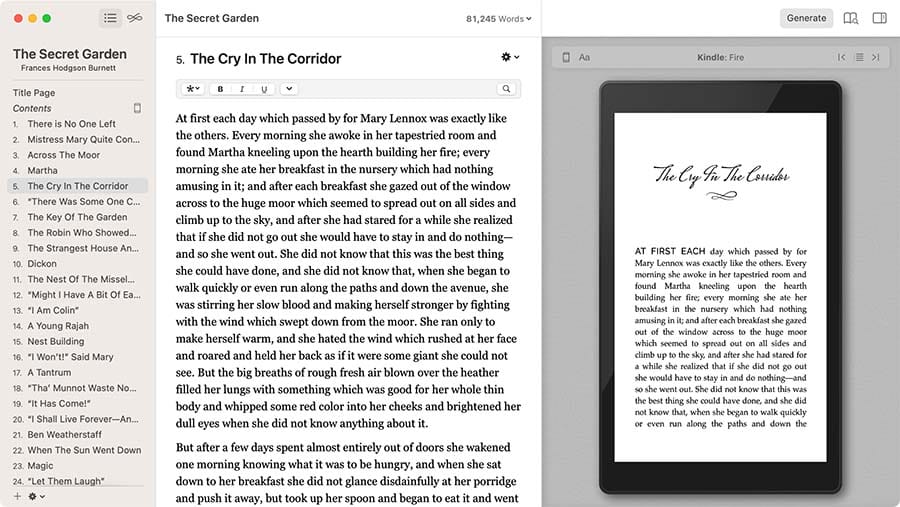
Vellum has long been the gold standard for book formatting quality, and it remains one of the most recommended tools among experienced self-publishers.
Key features:
- Free trial until you export your first book
- Pre-made book designs that look genuinely professional and distinctive
- Extensive customization options for formatting details
- Metadata integration that helps prep your book for discoverability on Amazon
- Ability to create box sets and series formatting
- All future updates included with your purchase
Pros: The quality of output from Vellum is hard to beat. It's intuitive, requires no design experience, and the one-time purchase price eliminates ongoing fees.
Cons: Mac-only. Windows users are out of luck. Relatively expensive compared to other dedicated formatting tools.
Related: Vellum Software Review
8. Scrivener
Price: 30-day free trial; then $49 for Mac/Windows or $19.99 for iOS | Best for: Authors who want to plan, draft, and format in one writing-centric environment
Scrivener is a beloved tool for writers, but it's worth being honest that formatting is not its strength.
Key features:
- Full manuscript drafting, outlining, and research organization in one place
- Structural templates that make exporting cleaner
- Highly customizable formatting features
- Multiple export options including EPUB and PDF
- Metadata customization for publishing platforms
Pros: If you already draft in Scrivener, you can format and export from the same environment without moving files around. Inexpensive for what it offers.
Cons: Steep learning curve for formatting specifically. Many authors end up exporting to Atticus or Vellum for final formatting anyway, which raises the question of whether Scrivener's formatting features are worth learning. Formatting can also be inconsistent when uploaded for publication.
Related: Scrivener Review
9. NovelPad
Price: $8/month or $60/year | Best for: Fiction authors who want a clean, organized drafting and eBook formatting tool
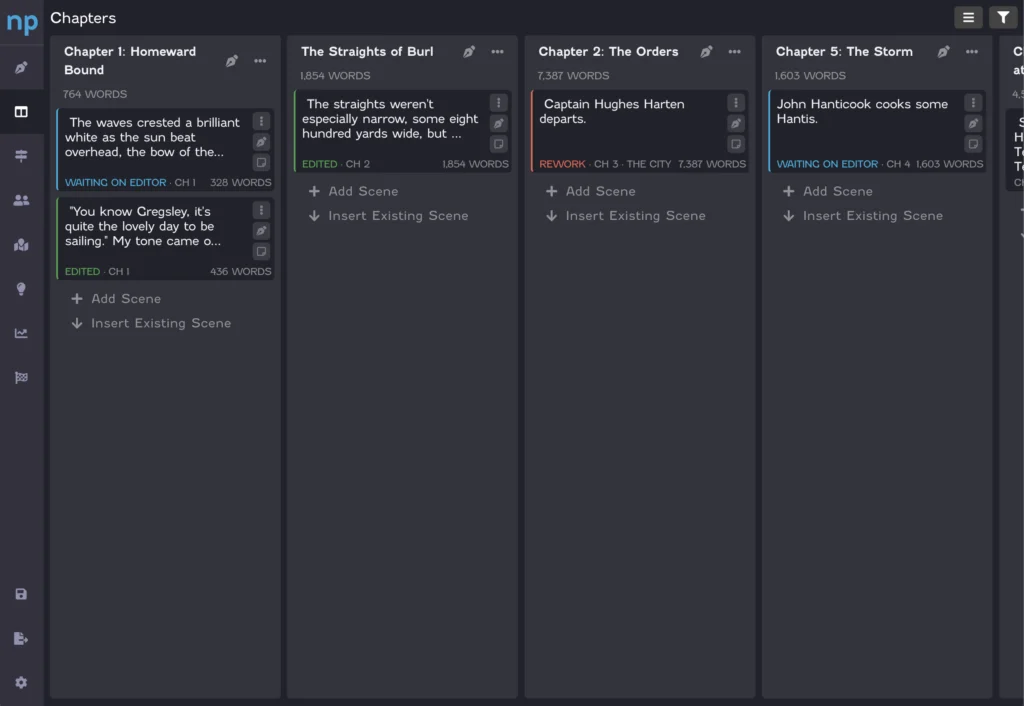
NovelPad is a cloud-based writing tool that takes a different approach: it automatically structures your novel as you write, so exporting a clean eBook requires almost no extra work.
Key features:
- Scene-by-scene chapter organization with drag-and-drop rearrangement
- Planning features that automatically structure the novel for export as an eBook
- Word count and goal trackers to keep you motivated
- Dark mode support
- Available on Android and iOS as one of the best writing apps for mobile
Pros: Intuitive, affordable, and the export process is nearly seamless. If staying organized during drafting is a priority, NovelPad's planning features are a real advantage.
Cons: Formatting only works for eBooks (no print formatting). Formatting options are limited overall. No multi-user collaboration like you'd get in Word or Google Docs.
10. Adobe InDesign
Price: $20.99/month as part of Adobe Creative Cloud | Best for: Authors with design experience who need the most powerful print layout tool available
Adobe InDesign is the industry standard for professional book design. If you've worked with it before, or if you're producing a heavily illustrated or visually complex book, it offers capabilities nothing else can match.
Key features:
- Deeply integrated with Adobe Photoshop and Lightroom for seamless image editing
- Creates the highest-quality print-ready layouts available in any software
- Dozens of customizable features with a customizable interface
- Includes direct publishing options from InDesign
Pros: Best-in-class output for print books. Professional-grade typography, master page control, and layout precision. Access to future updates through the subscription.
Cons: Monthly subscription is ongoing and it adds up over time. There's a real learning curve if you're new to Adobe products. For authors who only format a book once or twice a year, the cost-to-value ratio may not make sense.
11. Blurb BookWright
Price: Free download; pay-per-book when printing | Best for: Photo book authors and authors publishing primarily through Blurb
BookWright is Blurb's desktop formatting application. While it's listed here in the paid section (because printing through Blurb involves per-book costs), the software itself is free to download.
Key features:
- Integrates with Adobe InDesign for users already in the Adobe ecosystem
- Existing layouts make it easy to set up your book quickly
- Customizable formatting without being overwhelming
- Built-in tutorials guide you through the process
Pros: Inexpensive to try. Especially useful for picture-heavy or photo books. Built-in tutorials make it accessible even without design experience.
Cons: Some inconsistencies with formatting. More geared toward photo-heavy books than standard novel or nonfiction layouts.
How to choose the right book formatting software
The best book formatting software depends on three factors: your operating system, your publishing goals, and your design experience.
If you're on a budget and publishing eBooks only: Start with Reedsy Studio or Kindle Create. Both are free and require no learning curve.
If you want an all-in-one solution for print and eBook: Atticus is the strongest pick for most self-publishers. It works on any device and produces professional results at a fair one-time price.
If you're on a Mac and willing to invest more: Vellum produces some of the most beautiful book interiors available from any self-publishing tool.
If you have design experience and want maximum control: Affinity Publisher (now free) gives you InDesign-level power without the subscription.
If you're publishing a heavily illustrated or complex book: Adobe InDesign remains the professional standard, though it requires a learning curve and ongoing subscription.
Frequently asked questions about book formatting software
What is the best free book formatting software?
Reedsy Studio is the best free book formatting tool for most authors. It handles both eBook and print formatting, works in any browser without installation, and automatically inserts tables of contents, copyright pages, and chapter breaks. Kindle Create is the best free option specifically for Amazon KDP authors. Affinity Publisher is the best free option for authors who want professional desktop-publishing-level control.
What book formatting software do professional authors use?
Most professional self-published authors use Atticus or Vellum for their ease of use and polished output. Authors with design backgrounds often use Adobe InDesign or Affinity Publisher for maximum layout control. Many traditionally published books are formatted using InDesign by professional typesetters.
Can I format a book in Microsoft Word?
Yes, but it requires significant manual effort and is not as intuitive as tools built specifically for book formatting. Word gives you full control over margins, fonts, and page layout, but you'll need to configure everything yourself. It doesn't automatically set up chapter breaks, drop caps, or running headers the way dedicated formatting software does.
Is Atticus or Vellum better?
Atticus is better for most self-publishers because it works on Windows, Mac, and any other operating system, and costs less. Vellum produces slightly more beautiful output and has a more intuitive interface, but it's Mac-only. If you're on a Mac and prioritize design quality, Vellum is worth the extra cost. If you're on Windows or want cross-platform flexibility, Atticus wins.
What’s the best book formatting software for print books?
Atticus, Vellum, Adobe InDesign, and Affinity Publisher all produce strong print-ready PDF files. Atticus and Vellum are the easiest to use. InDesign and Affinity Publisher offer more layout control but have steeper learning curves.
What to do next
Book formatting might feel like a minor detail, but it has a significant impact on the reader's experience, and on how your book is perceived by potential buyers who flip through a preview before purchasing.
The good news: you don't need to be a designer to produce a professional result. Tools like Atticus and Reedsy Studio have made book formatting genuinely accessible to first-time authors.
Take the time to learn how to format your book using one of the options above, or consider professional formatting services if you'd rather hand it off to an expert. Either way, don't skip this step. Your readers will notice.