














For fantasy writers, a map is rarely just decoration. It’s a way to make your world real before a single scene is written. The moment you sketch out where your mountain ranges sit, which cities control the trade routes, and how far your protagonist has to travel to reach the final confrontation, your world stops being abstract and starts behaving like a place that actually exists.
Whether you’re deep in the worldbuilding process for your debut fantasy novel, planning out a whole series, or simply want to visualize a world you’ve been carrying around in your head, this guide walks you through how to make a fantasy map from scratch, with or without graphic design experience.
And the best part? You can do it for free, or close to it.

Unlock the Magic of Imagination
With the Ultimate Fantasy Author's Resource Bundle!
TL;DR: You can make a fantasy map by hand, with free or low-cost software like Inkarnate or Wonderdraft, or by hiring a graphic designer for a polished final product. The best maps are geographically logical, visually readable, and scoped correctly for your story, whether that’s a whole world or a single city. Follow the 7-step process below to build yours from the ground up.
What is a fantasy map and why does it matter?
A fantasy map is a visual representation of a fictional world, region, or location typically included in fantasy novels to help readers navigate the geography, understand distances, and orient themselves within the story’s setting.
A good fantasy map does more than look impressive on the inside cover of your book. It actively supports your storytelling by making your setting feel three-dimensional and lived-in. When readers can see that the protagonist must cross a mountain range to reach the capital, or that two rival kingdoms share a river border, they understand the stakes of the story at a glance without you needing to explain it through pages of exposition.
Maps also serve as powerful worldbuilding tools for the author. Creating one often reveals logical inconsistencies in your world – trade routes that don’t make sense, cities placed in geographically implausible locations, or travel times that contradict your plot. Catching these early saves significant revision headaches later.
If you’re writing a fantasy novel, whether high fantasy, low fantasy, or fantasy romance, a map can help you showcase your world with far less expository writing in the text itself.
3 methods to make a fantasy map
You can make a fantasy map by drawing it by hand, using map-making software, or hiring a graphic designer. Each approach suits different skill levels, budgets, and end goals.
Here’s a closer look at each option so you can choose the right fit before diving into the process:
1. Draw it yourself
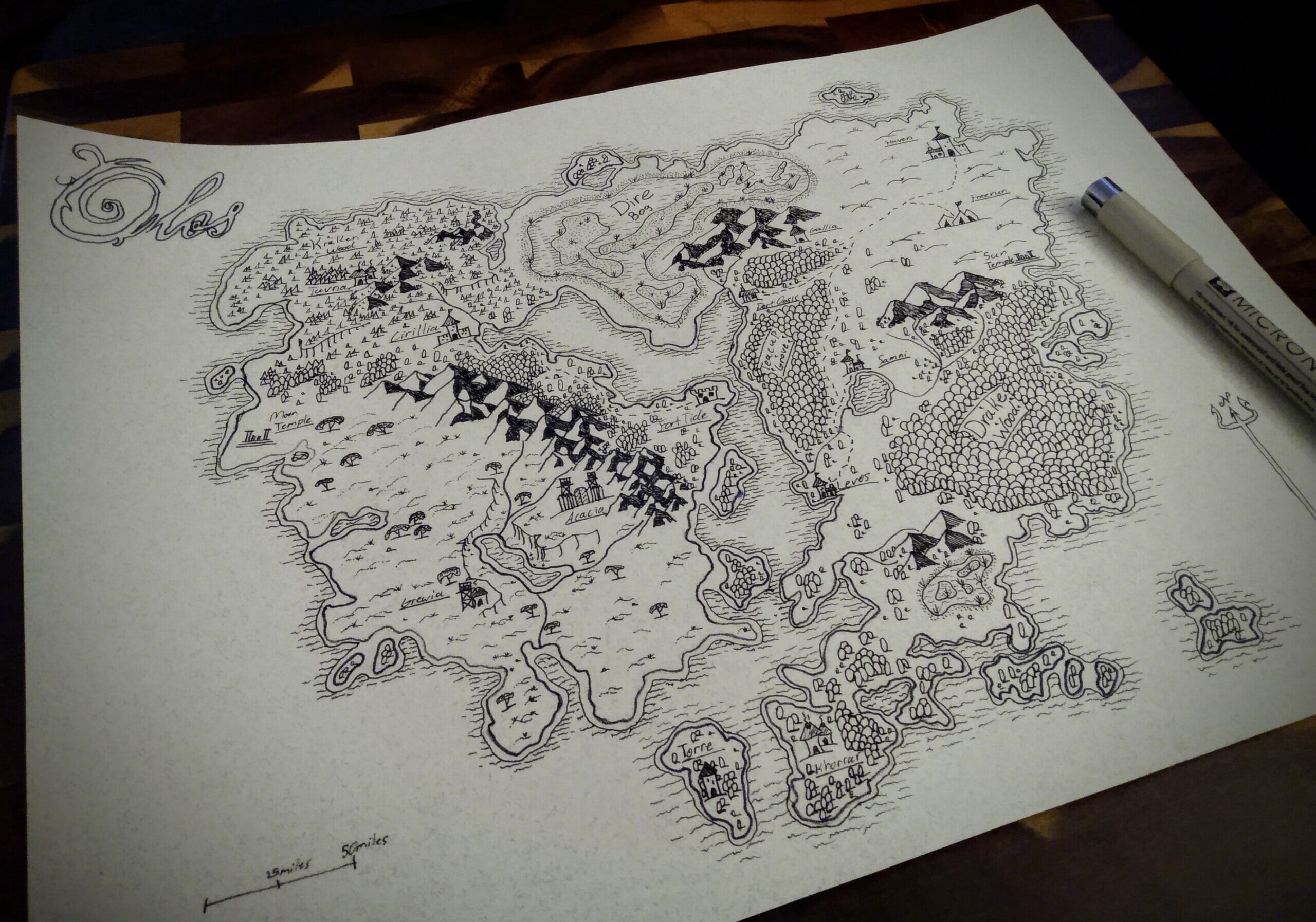
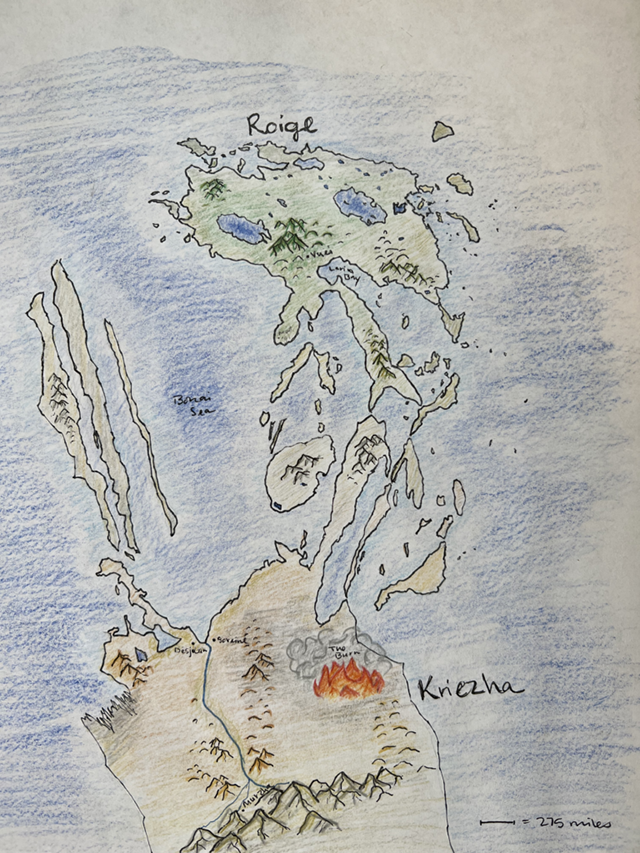
Hand-drawn maps offer total creative freedom. You’re not limited by software assets or templates. You draw exactly what you want, where you want it. This is also the most intimate approach: many authors find that physically sketching their world helps them think through geography and plot simultaneously.
You don’t need to be a professional illustrator. Plenty of beloved fantasy maps started as rough pencil sketches. If you later want to publish a polished version, you can always hire a designer to digitize and refine your hand-drawn original.
2. Use map-making software
Software is the most popular choice for authors who want a professional-looking result without a designer’s price tag. The best tools let you drag and drop terrain, place landmarks, add labels, and export high-resolution files, all without any graphic design background.
You can achieve about 90% of what a designer would produce with the right software, as long as you’re willing to invest some time learning the tool. More on the best options below.
3. Hire a graphic designer
If budget isn’t a concern and you need a truly print-ready, professional map (especially for a traditionally published or high-production indie release) hiring a specialist fantasy cartographer is worth it. Expect to pay anywhere from $200 to $1,000+ depending on complexity and the designer’s experience.
Many authors who publish a book use a combination: they sketch by hand to work out the world logic, use software to build a working version, and then hire a designer to finalize it for print.
Fantasy map making software to choose from
This option for learning how to make a fantasy map is among the most popular. You can customize your map to about 90% of what you want with the higher tier softwares, even without any graphic design experience.
Take this map example from Tales of Bastunia created with the software Inkarnate:
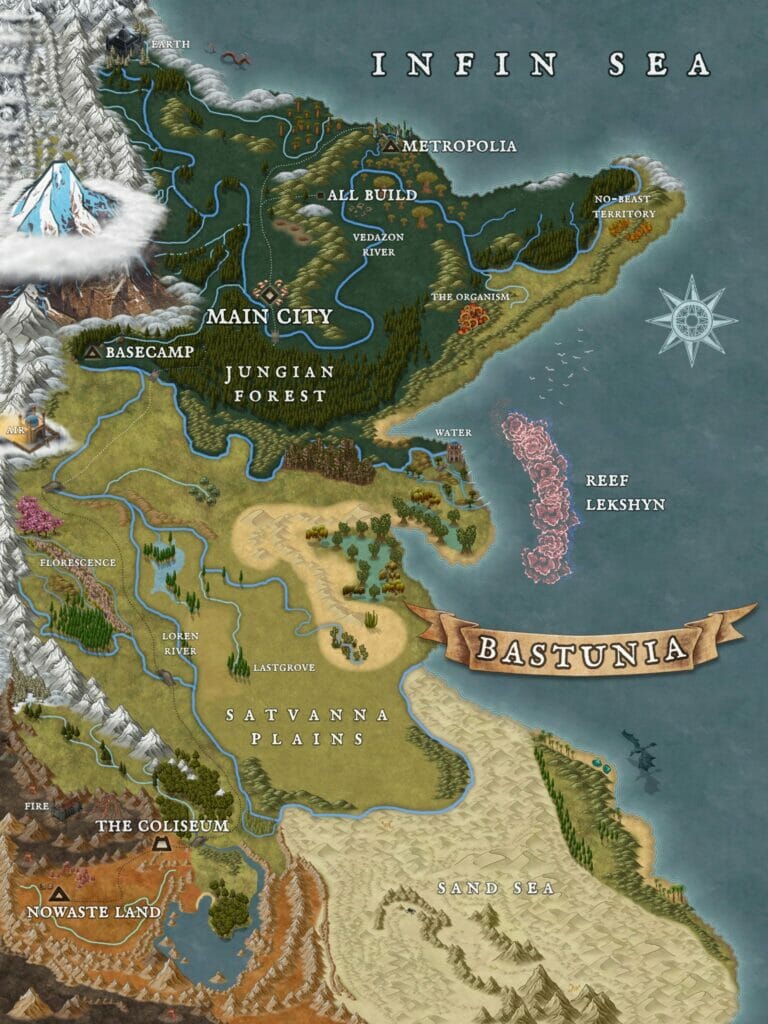
As you can see, it’s very advanced with many different features. However, it does require many hours of time to put together a map of this caliber.
If software seems like the best fit for you, here are a few recommended fantasy mapmaking software:
This isn’t an exhaustive list. There are new mapmakers popping up everywhere. If you want to find your own, just do a Google for “fantasy mapmaking software” and do some browsing.
Fantasy map tools comparison (at a glance)
| Tool | Best For | Key Features | Pricing |
|---|---|---|---|
| Inkarnate | Beginners & All‑Purpose Map Making | Browser‑based editor with drag‑and‑drop assets, huge library of terrain/objects, export up to high resolutions, beginner‑friendly interface | Free version with limited assets; Paid plans from $7.99/mo (Creator) and $14.99/mo (Studio) for more assets/export options |
| TheBookDesigner (Toolset) | Authors who need worldbuilding resources | (Note: TheBookDesigner isn’t a map creator itself but offers guides, tips, and resources for worldbuilding that help with layout and map context) | Free/Guide content (varies) |
| World Anvil | Worldbuilding & Interactive Maps | A worldbuilding toolkit that lets you organize your world, link stories to maps, and create interactive map experiences with clickable pins and layers | Tiered subscription plans (free basic plan with limits, paid tiers for full features) |
| Wonderdraft | Custom Offline Map Design | One‑time purchase software with highly customizable landmasses, terrain, fonts, and aesthetics — great for polished regional/world maps | One‑time fee ($29.99) |
| DungeonFog | Detailed Battle & Encounter Maps | Vector editor focused on battle maps, rooms, terrains with asset library, good for RPG encounters and story locations; can export/print maps | Free account with limited maps; Paid plan for additional assets and slots |
What makes a good fantasy map
A good fantasy map is navigationally useful, geographically plausible (even within a fantasy context), and visually clear enough that readers can understand your world at a glance without feeling overwhelmed.
Let’s break down each of those three qualities:
Navigation usefulness
The primary job of a fantasy map is to help readers orient themselves in your world. Decorative maps are enjoyable, but useful maps are what readers actually reach for mid-chapter when they’re trying to remember how far the protagonist is from their destination.
For a map to be navigationally useful, it needs to clearly show: major regions and kingdoms, key cities and towns, important landmarks (natural and manmade), distances or scale, and the relationship between locations that matter to the plot.
Think about which journeys in your story your readers will want to track. Those are the routes your map needs to make legible.
Realistic geography with a fantasy sensibility
Even in a fully invented world, geography should follow internal logic. Readers notice when rivers flow uphill, when cities appear in the middle of barren deserts with no water source, or when a tiny island has a mountain range that would require a continent to form it.
The basic rules to follow: rivers flow downhill from mountains to the sea; mountains typically form ranges, not isolated peaks; coastal cities develop at natural harbors and bays; climate varies based on elevation and distance from the equator.
Of course, if your world’s magic system rewrites these rules (floating islands, rivers that run backward, mountains conjured overnight) that’s a legitimate fantasy choice. Just make sure it’s intentional and that the map reflects the internal logic of your world, not a careless oversight.
Visual appeal and readability
A map that looks stunning but can’t be read clearly at print size is a failed map. Visual appeal and readability need to work together.
Practical tips for achieving both: use consistent symbols for the same feature types (all cities get the same icon, all castles get the same icon); choose fonts that are legible at small sizes; use contrasting colors to separate terrain types, political borders, and bodies of water; and resist the urge to add everything. A map that’s too dense becomes unreadable.
Study the published examples later in this article for a sense of how professional cartographers balance detail with clarity.
How to make a fantasy map: a 7 step process
It’s not enough to have a software where you can drag-and-drop your map. Part of the fun of learning how to make a fantasy map is being able to understand how geography works and how landmasses are actually built.
It’s highly unlikely that a mountain will rise directly out of flatlands with no hills or smaller mountains around it, because of how mountains form. Of course, if the sudden emergence of a mountain from nothing is a fantasy element in your world, that’s different.
Let’s go through the step by step process of how to start building your fantasy map.
Step 1 – Build the land
Before anything else, you need to establish the shape of your world’s landmass. This is the foundation everything else sits on.
If you’re creating a world map, you’ll define your continents, oceans, and major seas. If you’re zooming into a specific region (which is often the smarter choice), you create your canvas and fill most of it with land.
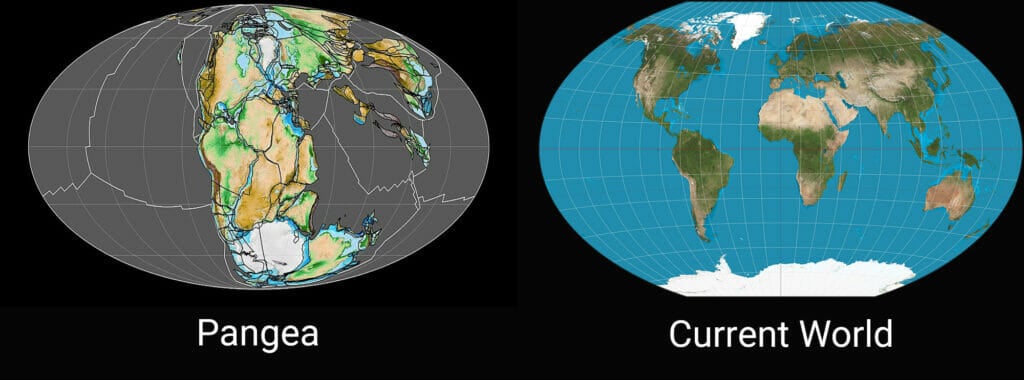
A useful exercise for making your landmasses feel geographically real: imagine your world started as one large supercontinent (similar to how Earth once had Pangea) and slowly drifted apart over millions of years. When landmasses split from each other, their coastlines tend to look like matching puzzle pieces. The more you can make your continents feel like they once connected, the more naturally plausible your world looks.
Coastlines should also be irregular. Real coastlines have inlets, peninsulas, bays, capes, and islands. Perfectly smooth, rounded coasts read as artificial.
Step 2 – Set the geography
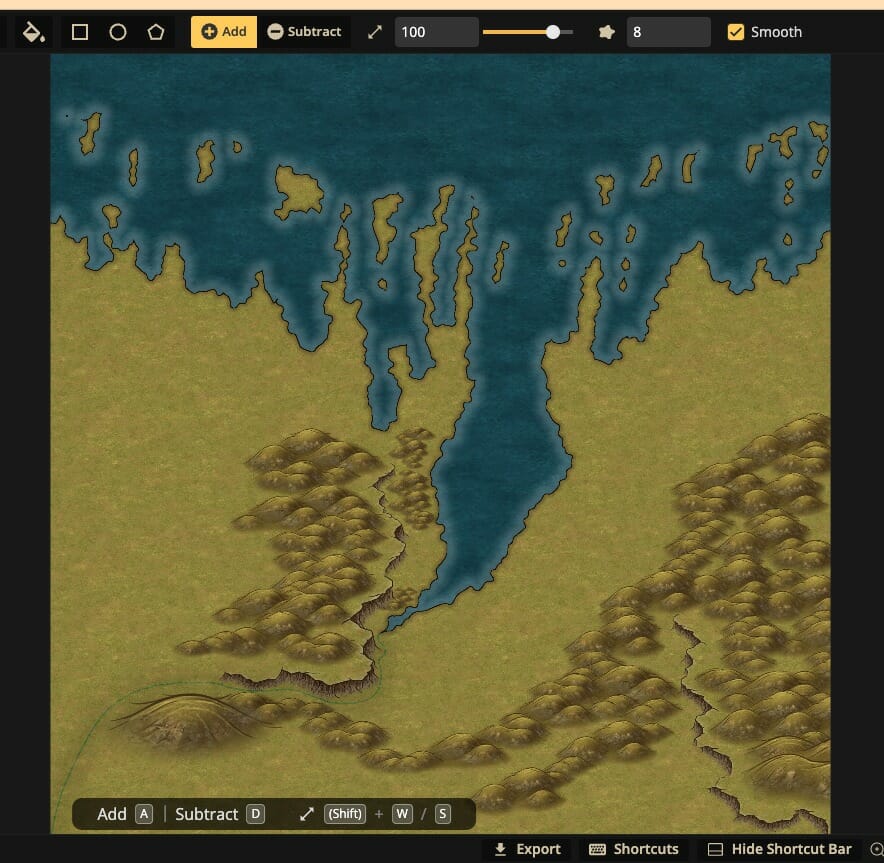
With your landmass shaped, you now build out the physical landscape: mountains, rivers, forests, deserts, plains, and other terrain features.
How deep you go here depends on your story’s needs. At minimum, you need to understand where your major terrain features are, because they’ll determine everything that comes next, where cities form, where roads go, where borders fall, and what the climate looks like in different parts of your world.
A few geography principles worth internalizing:
- Mountains are typically formed by tectonic activity and appear in ranges, not isolation
- Rivers begin at high elevation (mountains or highlands) and flow to the sea or large lakes (never the other way around)
- Deserts often appear on the leeward (sheltered) side of mountain ranges, because mountains block moisture from reaching them
- Forests tend to appear where there’s consistent rainfall and moderate temperature
- Plains and grasslands are typically found in interior regions away from both coasts and mountains
If your world has a magic system that alters these rules, decide which rules hold and which don’t, then apply those decisions consistently across the entire map.
Step 3 – Create major landmarks
Now you place the key locations your story revolves around: cities, towns, castles, ruins, temples, sacred sites, ports, and other significant landmarks.
This is where your story knowledge directly informs your map. You already know which locations matter to your plot. Now you’re placing them where they make geographic sense.
Keep these principles in mind when placing settlements:
- Cities need water – most major settlements form near rivers, lakes, or coastlines
- Ports require accessible coastlines – natural harbors, bays, and sheltered inlets, not exposed cliffs
- Mountain settlements are typically small and isolated – large cities rarely form at high elevation due to limited agricultural land and harsh winters
- Mountains affect climate – a city on the windward side of a mountain range will have very different weather (and culture) than one on the leeward side
- Political centers tend to be defensible – capitals and royal cities often occupy elevated positions, river bends, or peninsula locations for strategic protection
At this stage, you’re not building out the cities themselves yet – you’re marking their locations and ensuring the geography around them makes sense.
Step 4 – Create roads and pathways
Once you know where your major landmarks sit, you can connect them with roads, trade routes, and pathways.
Roads in a fantasy world, like roads in the real world, are built for practicality above all else. People take the flattest, most direct route possible. If there’s a mountain in the way, roads go around it unless the civilization has the technology and resources to cut through. If there’s a river, there needs to be a ford, bridge, or ferry crossing.
As you draw your road network, think about:
- Which cities would trade with each other most heavily, and why?
- Where would a road be impractical due to terrain (swamps, dense forests, mountain passes)?
- What’s the technology level of your civilization. Can they bridge large rivers, tunnel through rock, or build elevated causeways?
- Are there roads that have fallen into disuse, become dangerous, or are controlled by hostile factions?
Your road network will also suggest where smaller towns and way-stations should appear. Settlements tend to spring up at crossroads, river crossings, and natural rest points along major routes.
Step 5 – Add buildings and residential areas
This step is pretty self-explanatory. Just make sure that the material of the buildings match the economic level of the users. If you have a royal palace, the buildings near it would be nicer quality since they’d be surrounded by wealthier people.
Similarly, the material of buildings in the lesser-developed part of the area would be cheaper, more basic elements. Keep this in mind when placing your areas.
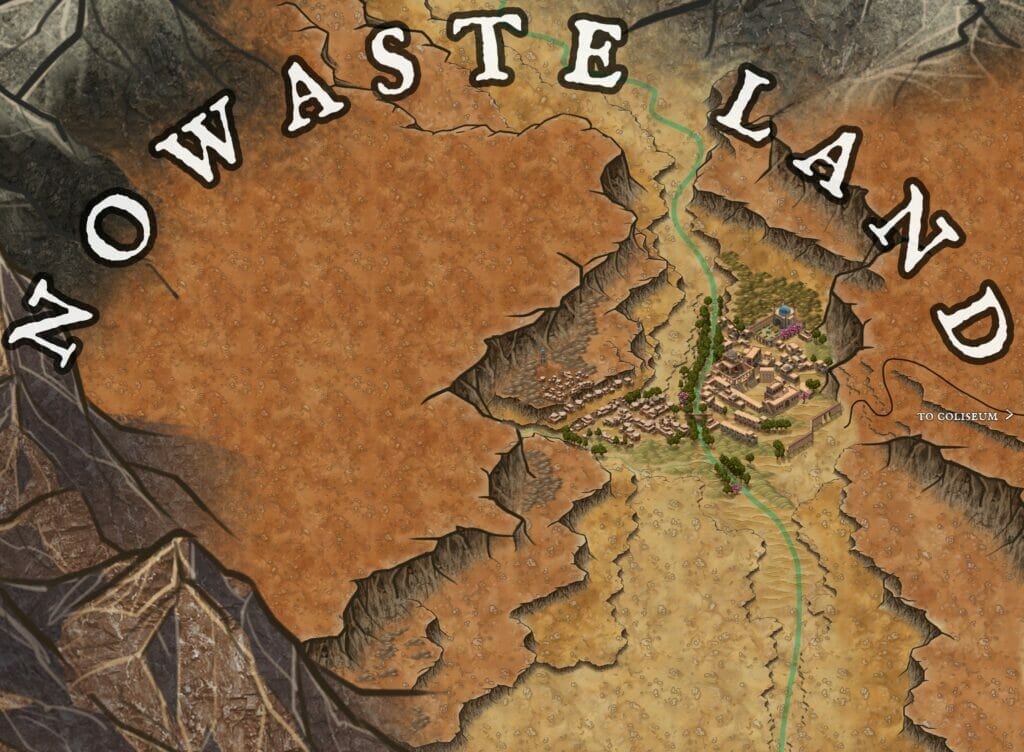
At this stage, your fantasy world map might look similar to this one of Bastunia by Unfound Anamnesis:
Step 6 – Add labels
Now you name everything, and how you style those names matters more than most authors expect.
Font choice is a worldbuilding decision. A blocky, angular font feels different from flowing script; a weathered serif reads differently from a clean sans-serif. The typography of your labels contributes to the overall aesthetic and feel of your world. Choose fonts that match the tone of your story.
Practical labeling tips:
- Place city/town names directly above or beside their marker, not overlapping it
- Use larger or bolder type for major cities and smaller type for minor settlements
- Label mountain ranges across their span rather than at a single point
- Use italics or a different font style for bodies of water to visually distinguish them from land features
- Don’t label every single feature, only what’s relevant to the story or necessary for navigation
If your world has its own naming conventions (phonetic patterns, linguistic roots, cultural naming traditions) apply them consistently. Nothing breaks the immersion of a fantasy map faster than a world where every location name sounds like it comes from a different language.
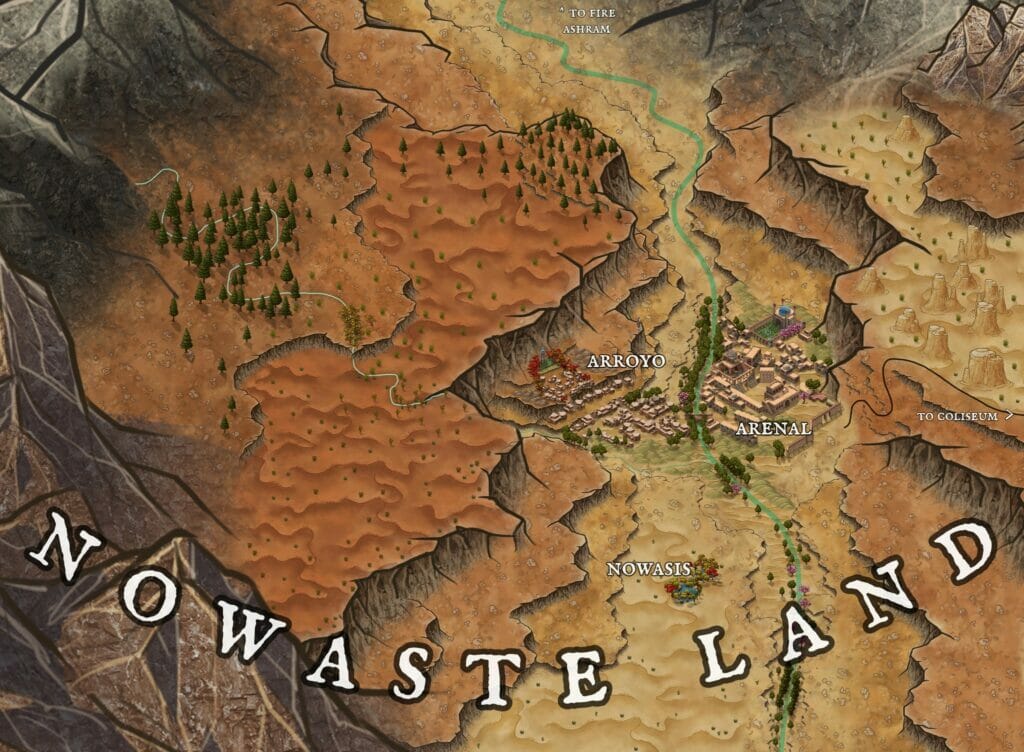
The example above looks like this after being named:
Step 7 – Fine tune the details
The final pass is where your map goes from functional to beautiful. This is where you add texture, depth, and the visual richness that makes readers stop and study it.
At this stage, consider:
- Terrain textures – hatching or symbols for mountains, tree clusters for forests, dotted textures for deserts
- Shading and color – elevation shading (darker at higher altitude), water color gradients from shallow to deep, regional color coding for different kingdoms or biomes
- Decorative elements – a compass rose, a scale bar, sea monsters or ships in the ocean, border illustrations
- A legend or key – if you’re using symbols, give readers a key so they can interpret them without guessing
- Aged or stylized effects – if you want your map to feel like an in-world artifact, parchment textures, worn edges, and ink-style rendering all contribute
This is also the moment to review your map holistically. Does anything look geographically implausible? Are labels legible? Is anything too cluttered? Step back and look at the map the way a reader will, with fresh eyes, for the first time.
How to scope your fantasy map correctly
One of the most common mistakes fantasy authors make is trying to map everything at once. Your map should be scoped to what your story actually needs – nothing more, nothing less.
Ask yourself: what geographic area does my story actually take place in? If your plot spans a continent with multiple kingdoms, you need a world or regional map. If your story takes place entirely within one city and its immediate surroundings, a city map or even a district map will serve your readers better than a sweeping world view that leaves your actual setting as a tiny dot.
Consider using multiple maps if your story has different scales of action. Many fantasy novels include both a world map at the front and a more detailed city or region map for the primary setting. Brandon Sanderson’s Mistborn, for example, uses a city map rather than a world map, because the city is where the story lives.
Scope your map to your story. A precise, readable map of a smaller area is almost always more useful than a sprawling world map where nothing is legible.
Iconic examples of fantasy maps to learn from
Let’s take a look at the fantasy maps used in printed versions of published books thus far so you can get the idea of what you’re shooting for at the end.
Way of Kings by Brandon Sanderson
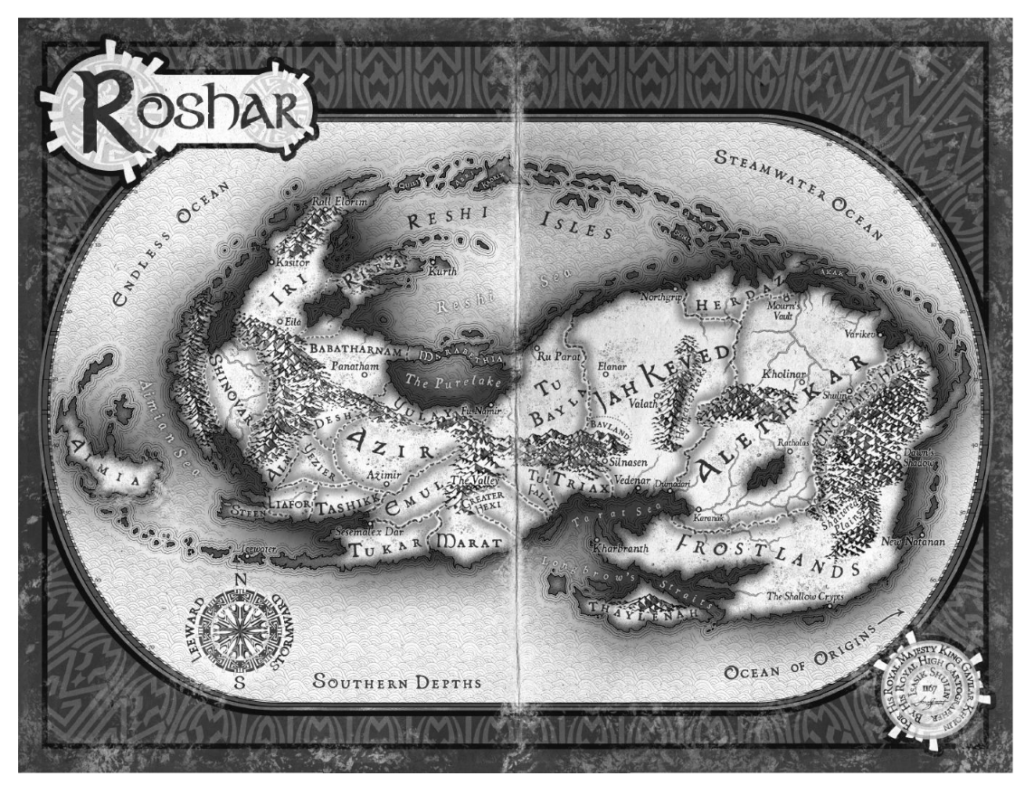
If you write fantasy and have not yet read (or heard of) this series by Brandon Sanderson, you’re surely missing out. As with most of his fantasy works (like Mistborn), this one contains a map, this time of the entire world of Roshar. Because this epic spans many different perspectives from people in various parts of the world, including a whole world map is necessary.
Game of Thrones by George R.R. Martin
This series is also known for its worldwide disputes with various characters residing in different parts of the lands. Again, because of this, there’s a map for the world placed inside the book so readers can envision the relation of different places.
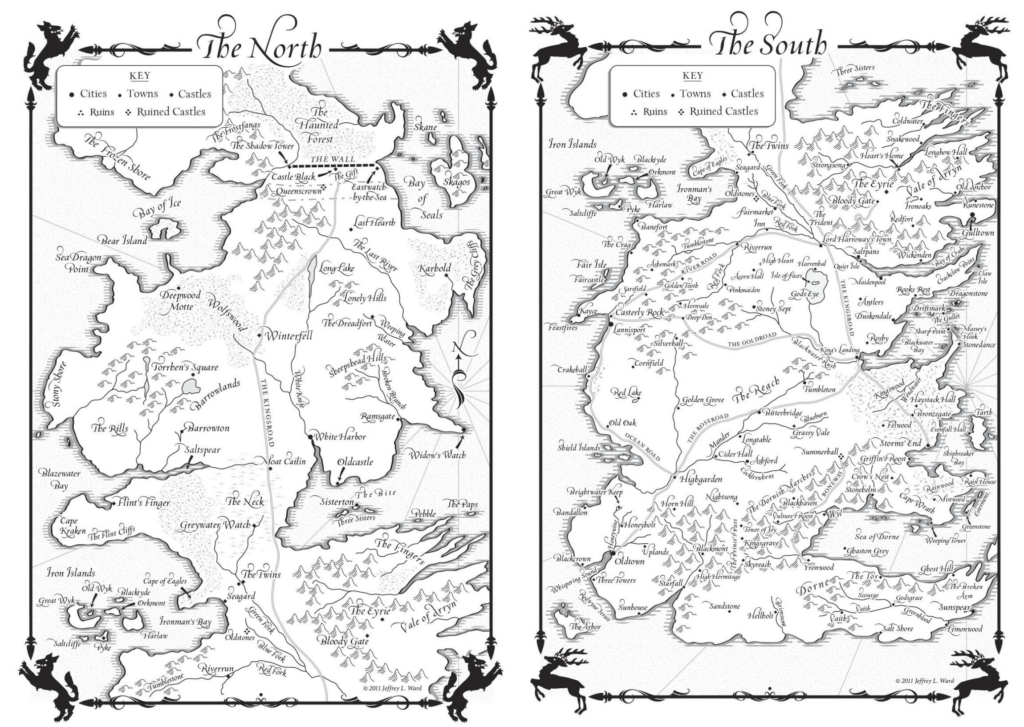
This map is different than Sanderson’s in that it has a key, with different markers to help the reader visualize what’s in different locations. This way, you don’t have to make the map as detailed while still conveying what it might look like.
The Assassin’s Apprentice by Robin Hobb
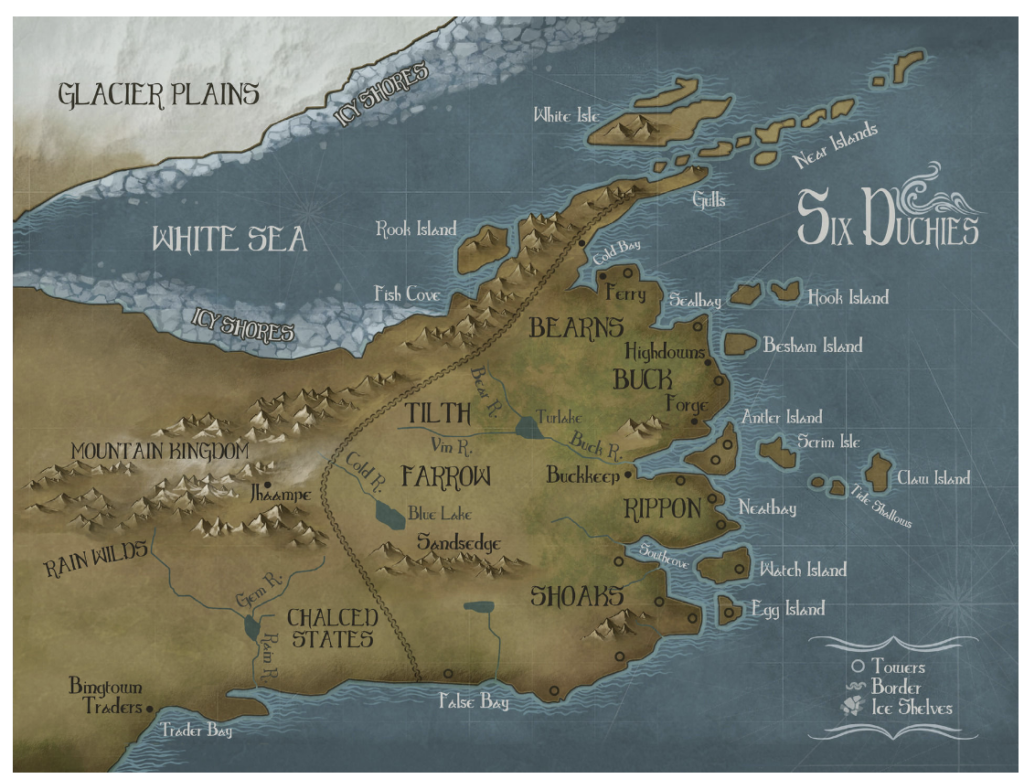
This is a great map to showcase the zoomed-in approach when you only need to share a portion of the world. This fantasy map example is less detailed, but still shows the overall lay of the land with an emphasis on the names of locations.
It also has a key with only a few symbols.
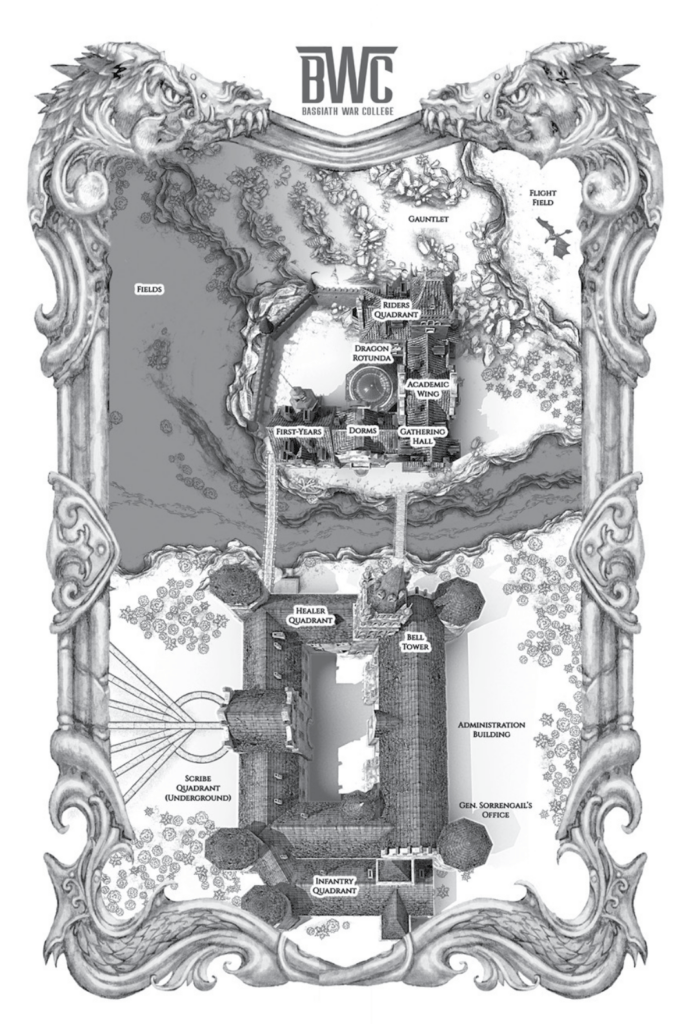
Fourth Wing by Rebecca Yarros
This up-and-coming fantasy has a more unique map than what you see with bigger epics. Instead of doing a lay of the overall lands, this author included a birds-eye view of a specific location that’s even more zoomed-in than the above example..
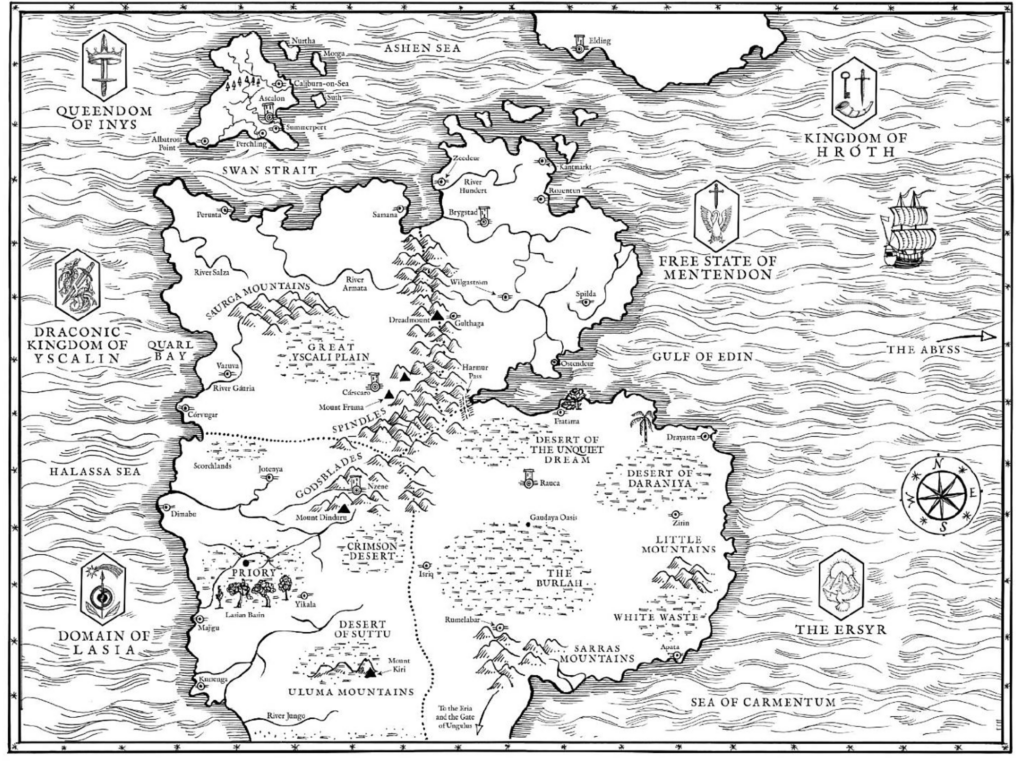
The Priority of the Orange Tree by Samantha Shannon
Here’s another bigger world map in a very simplistic style. This is a great example of a map that says a lot without a ton of detail. You don’t need a wild, intricate map in order to help your readers understand what’s going on.
How fantasy maps connect to your broader worldbuilding
A map doesn’t exist in isolation, it’s the visual expression of your entire worldbuilding system. The decisions you make while mapping your world will ripple through your worldbuilding process in ways that strengthen your story at every level.
Geography determines culture. A landlocked kingdom develops differently from a maritime trading empire. A civilization built around a vast river delta will have different architecture, economics, and religion than one nestled in mountain passes. The moment you commit your geography to a map, your cultures start making more sense, and the inconsistencies in your worldbuilding become easier to spot.
Geography determines conflict. Wars are fought over resources, borders, and strategic locations. Where your mountains, rivers, and coastlines sit will suggest where your world’s political tensions naturally fall. A map can reveal the logical pressure points in your world’s history that a purely narrative approach might miss.
Geography determines plot. Travel time, terrain difficulty, weather, and the location of key destinations all shape what’s physically possible for your characters to accomplish within your story’s timeline. Mapping your world forces you to think through these logistics in concrete terms, which almost always generates new story ideas and reveals plot problems before they become embedded in your draft.
If you’re working through the broader craft of building a believable fantasy world, our resources on setting, character motivation, and how to write a novel pair naturally with the mapmaking process.
Getting your fantasy map ready for publication
If you plan to include your map in a published book (whether through self-publishing or a traditional route) there are some practical considerations to keep in mind.
Resolution matters. A map that looks great on screen may print poorly if it’s not high enough resolution. For print publishing, aim for a minimum of 300 DPI at the final print size. Most professional map-making software (Inkarnate, Wonderdraft) can export at print-quality resolutions.
Black-and-white compatibility. Many print-on-demand services like Amazon KDP print interior pages in black and white by default (color interior printing costs significantly more). Make sure your map is readable in grayscale. Don’t rely solely on color to distinguish between terrain types or regions.
File formats. Your publisher or formatter will likely need a high-resolution TIFF or PDF. Check the specific requirements of whichever self-publishing platform you’re using before finalizing your map.
Hiring a cartographer for final production. If you’ve built a working map in software but want a professionally polished version for publication, hiring a fantasy cartographer at the production stage is a cost-effective middle path. You’ve already done the hard worldbuilding work, the designer just executes the final art based on your draft.
For a deeper look at what the full publishing process looks like for a fantasy novel, our Fundamentals of Fiction program covers everything from first draft to published book, including how to prepare your manuscript and all its visual elements for release.
Frequently asked questions about fantasy maps
Do I need a fantasy map in my novel? No. A map is never strictly required. Many successful fantasy novels don’t include one. But a map is worth including when your story spans a large geographic area, when travel and distance are plot-relevant, or when your world has a complex political geography that readers need to visualize. When in doubt, ask yourself: would a map help a reader follow the story more easily? If yes, include one.
What software is best for making a fantasy map as a beginner? Inkarnate is the most beginner-friendly option and has a free tier, making it ideal for first-time map makers. It’s browser-based (no installation needed), has an extensive library of drag-and-drop terrain assets, and produces professional-looking results with relatively little learning curve.
How long does it take to make a fantasy map? A basic working map can be produced in a few hours. A detailed, polished map for a complex world (using software like Inkarnate at a high level) can take anywhere from 10 to 40+ hours depending on the scope and level of detail. Hand-drawn maps vary entirely based on your artistic pace.
Should my fantasy map show the whole world or just part of it? Scope your map to what your story actually requires. If the action takes place in one kingdom, map that kingdom in detail. If characters travel across multiple continents, a world map may be necessary. Many books include both a world overview and a detailed regional map for the primary setting.
Can I include my fantasy map in a self-published book? Yes. If you created the map yourself or commissioned it (and own the rights), you can include it in your self-published book. Make sure the file meets your platform’s resolution and format requirements. Check with your self-publishing platform for specific guidelines on interior image specifications.
What’s the difference between a world map and a regional map in fantasy? A world map shows the full geography of your fictional world including all continents, major oceans, and large-scale features. A regional map zooms into a specific area, showing greater detail about a particular kingdom, island, city, or landscape. Most fantasy novels use one or the other based on their story’s scope, though some include both.