












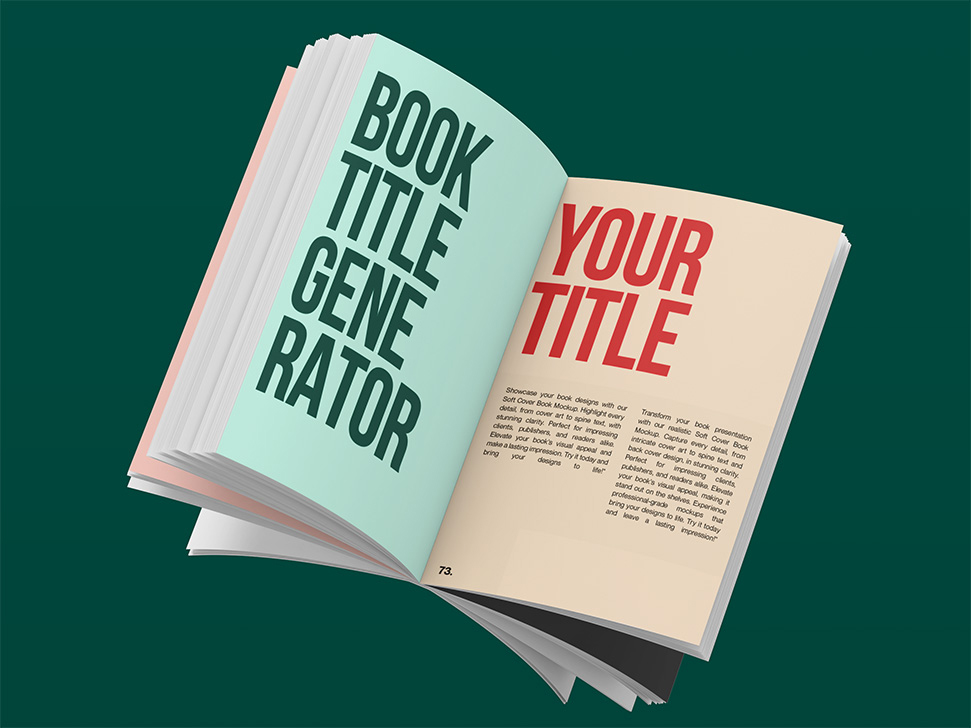



TL;DR: A book template is a pre-formatted file that sets your margins, fonts, trim size, and layout so your manuscript is ready for print or digital publishing. The best free options for most authors are KDP's official templates (for Amazon self-publishing), Reedsy's browser-based editor (for both ebook and print), and Canva (for visual or illustrated books). This guide covers 50+ trusted sources organized by tool type so you can find the right template in under 5 minutes.
Why the Right Book Template Matters (And What Happens Without One)
Most first-time authors lose 10–20 hours to formatting problems that a proper template would have prevented.
Incorrect margins get your book rejected by Amazon KDP. Wrong trim sizes cause your spine text to disappear in print. Missing bleed settings lead to white borders on your cover. These aren't creative problems, they're technical ones. And the good news is templates solve all the problems upfront.
The right template gives you:
- Pre-set margins that meet print-on-demand requirements
- Correct font sizes and line spacing for readability
- Proper trim size formatting for your chosen platform
- Export-ready structure for PDF, EPUB, or DOCX
If you want a fast start, download our free 6" × 9" pre-formatted Word template by filling in the form below. The standard US Trade paperback size used by most self-publishers on Amazon.
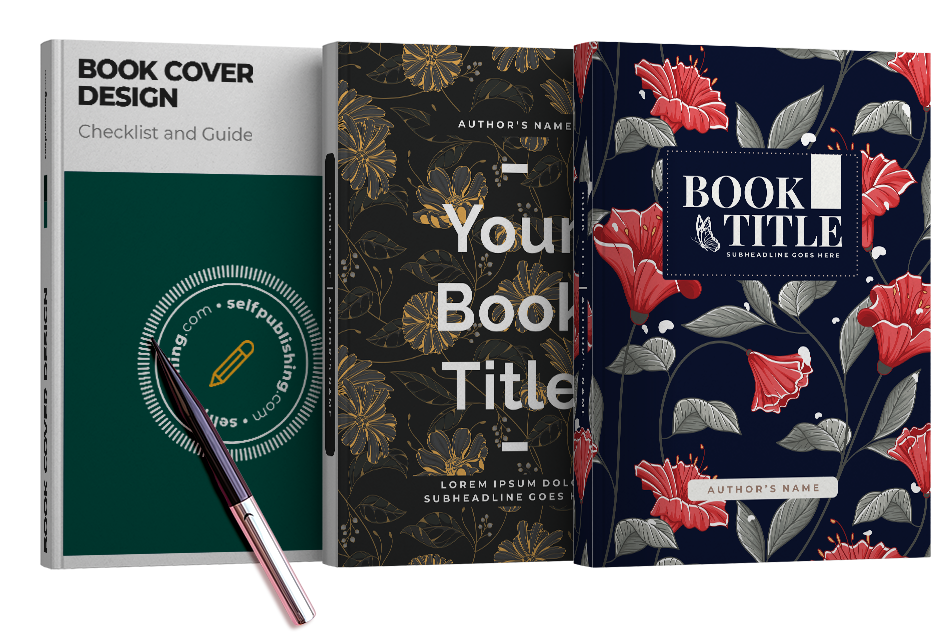
Get Our 6″ x 9″ Pre-Formatted Book Template for Word or Mac
We will send you a Book Template for US Trade (standard paperback size).
Word & Google Docs Book Templates
This is the best starting point for most authors. Word and Google Docs templates are free, easy to use, and accepted by every major self-publishing platform.
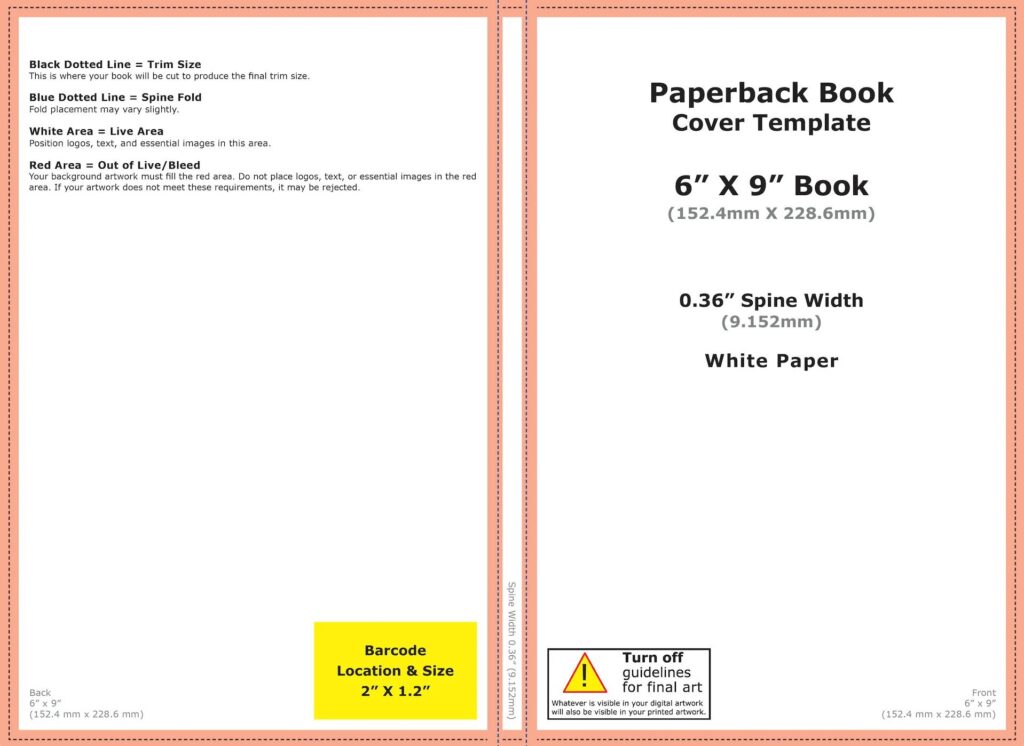
Microsoft Create
Microsoft's template gallery includes dozens of pre-formatted book layouts for Word. Think novels, memoirs, workbooks, and more. No learning curve, fully customizable.
- Link: Microsoft Create – Writing Templates
- Best for: Authors who want attractive Word templates at zero cost
Google Docs Template Gallery
Built-in templates inside Google Docs work well for collaborative drafting or cloud-based writing. Fewer options than Word, but zero setup required.
- Link: Google Docs Template Gallery
- Best for: Teams co-writing a book or authors who prefer browser-based editing
KDP (Amazon) Template Generator
Amazon's official templates are the most reliable option if you're publishing on Amazon KDP. Available in DOCX and PDF for every supported trim size, with pre-set margins that eliminate upload errors.
- Link: KDP Paperback & Hardcover Templates
- Best for: Self-publishers formatting a book specifically for Amazon KDP
TheGoodDocs
Over 200 downloadable templates in both Word and Google Docs formats, organized by genre such as fiction, nonfiction, illustrated, and more.
- Link: TheGoodDocs – Book Templates
- Best for: Authors who need genre-specific layouts
Lulu Self-Publishing Toolkit
Lulu's free toolkit includes Word templates for every trim size they support, plus layout guides for covers and print-ready file instructions.
- Link: Lulu Publishing Toolkit
- Best for: Authors publishing through Lulu who want platform-matched templates
BookDesignTemplates.com
The most polished Word and Pages templates available, curated by publishing expert Joel Friedlander. Genre-specific styles with detailed formatting instructions. Premium-priced, but worth it for authors who want industry-standard results.
- Link: BookDesignTemplates.com
- Best for: Authors who want professional-grade formatting and are willing to invest in quality
Draft2Digital Style Sheets
Upload your Word manuscript to Draft2Digital and apply a pre-formatted style sheet during EPUB conversion. No design skills needed! The tool handles typesetting automatically.
- Link: Draft2Digital Templates
- Best for: Authors converting a Word doc to a well-formatted ebook quickly
Template.net
A large marketplace of downloadable templates for Word, Google Docs, and Pages. New designs added regularly. Some are free while others require a subscription.
Best for: Authors who want variety across multiple platforms and formats
Link: Template.net – Book Templates
Who this is for: Word and Google Docs templates are the right choice if you're writing your first book, working with a DIY publishing workflow, or just need to get started fast. Writing a memoir or life story? Check out our autobiography template too. Most self-publishers on Amazon use nothing else.
InDesign, Affinity, & Pro Layout Tools
For authors who need full design control. These tools are used by professional designers and publishers creating print-ready files for POD or offset printing. They require a learning curve but offer the highest level of precision and polish.

Adobe InDesign Template Gallery
Adobe's official library of free InDesign templates includes book layouts, ebook structures, and long-form document frameworks. Ideal if you already know InDesign, a learning curve if you don't.
- Link: InDesign eBook Templates – Adobe
- Best for: Designers and experienced authors who want a professional layout from day one
Envato Elements
Thousands of high-quality InDesign book templates via subscription, covering fiction, workbooks, manuals, and more. This is one of the largest libraries available.
- Link: Envato Elements – Book Templates
- Best for: Designers who need a wide selection and already have an Envato subscription
Creative Market
A marketplace for one-off design assets. Buy a single polished template without a subscription. Options include InDesign, Canva, and Affinity formats.
- Link: Creative Market – Book Templates
- Best for: Authors or freelancers who want one professional template without ongoing fees
Affinity Publisher Community Templates
Free and community-built templates for Affinity Publisher, the top alternative to InDesign for Windows users who want to avoid Adobe's subscription.
- Link: Affinity Publisher Forum – Templates
- Best for: Authors using Affinity Publisher who want free, community-supported layouts
IngramSpark Cover Template Generator
Generates spine-accurate cover templates (INDD, PDF, PNG) based on your exact page count and trim size. Essential for books distributed through Ingram, which has different specs than KDP.
- Link: IngramSpark Cover Template Generator
- Best for: Authors designing their own covers in InDesign for IngramSpark distribution
Who this is for: Pro layout tools are worth learning if you're publishing complex nonfiction with diagrams and sidebars, producing a visually polished print edition, or working with a professional designer who needs print-ready files.
Drag-and-Drop Design Platforms
The fastest path to a visually formatted book. These tools require no design experience and work in your browser. They're especially effective for workbooks, planners, illustrated guides, and children's books.
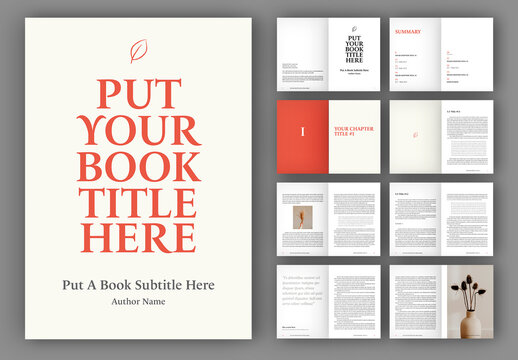
Canva Book Templates
Canva's library includes multi-page book, journal, and magazine layouts. Export for print or digital. Some templates are free; others require Canva Pro.
- Link: Canva – Book Templates
- Best for: Authors creating visually rich books such as planners, guides, or illustrated nonfiction
Adobe Express Booklets
A simpler alternative to InDesign with ready-made booklet and short-form layouts. Integrates well with Adobe's creative tools.
- Link: Adobe Express – Booklet Templates
- Best for: Users already in the Adobe ecosystem who want fast, polished short-form content
Designhill Book Cover Templates
Editable cover templates you can modify online and download in print-ready formats. Not a full interior tool, but one of the fastest ways to produce a professional cover without hiring a designer.
- Link: Designhill – Book Cover Templates
- Best for: Self-publishers who need a polished, customizable cover quickly
Dedicated Book Formatting Apps
The smartest choice for authors who want professional results without learning design software. These apps are built specifically for writers. They handle layout automatically and export directly to PDF and EPUB.

Reedsy Book Editor (Free)
A browser-based writing and formatting tool with built-in typesetting. Write your manuscript, choose a layout style, and export a publication-ready PDF or EPUB. No software download required, and it's 100% free.
- Link: Reedsy Book Editor
- Best for: Authors who want to write and format in one place without any software
Vellum (Mac only)
The gold standard for ebook and print formatting. Vellum generates beautiful, typographically refined outputs with minimal input. Layouts adapt automatically as you write or edit. Worth every dollar for serious authors.
- Link: Vellum
- Best for: Mac users who want the most polished ebook and print output with the least effort
Atticus (Cross-platform)
A newer alternative to Vellum that works on PC, Mac, and Chromebook. Includes writing, formatting, and collaboration tools, with print and ebook exports.
- Link: Atticus
- Best for: Windows and PC users who want Vellum-quality formatting without needing a Mac
Kindle Create (Free)
Amazon's official tool for formatting Kindle books. Includes theme-based styles for fiction, nonfiction, and textbooks. Simple to use, with direct integration into KDP.
- Link: Kindle Create
- Best for: Authors publishing exclusively on Amazon who want zero-friction Kindle formatting
Pressbooks
A browser-based production tool for books, originally built for open educational resources but now widely used by independent authors and small publishers. Supports PDF, EPUB, and MOBI exports with built-in collaboration.
Best for: Writers and educators creating books for both digital and print with collaborative workflows
Link: Pressbooks
Most authors should start here. Reedsy is free, produces professional results, and requires no prior formatting experience. If you're serious about the quality of your output, Vellum (Mac) or Atticus (PC) are worth the investment.
LaTeX & Docs-as-Code Options
For authors who need technical precision. LaTeX is the preferred tool for academic books, textbooks with equations, or documents requiring rich footnotes, indexing, and citations. It has a steeper learning curve, but the typographic output is unmatched.
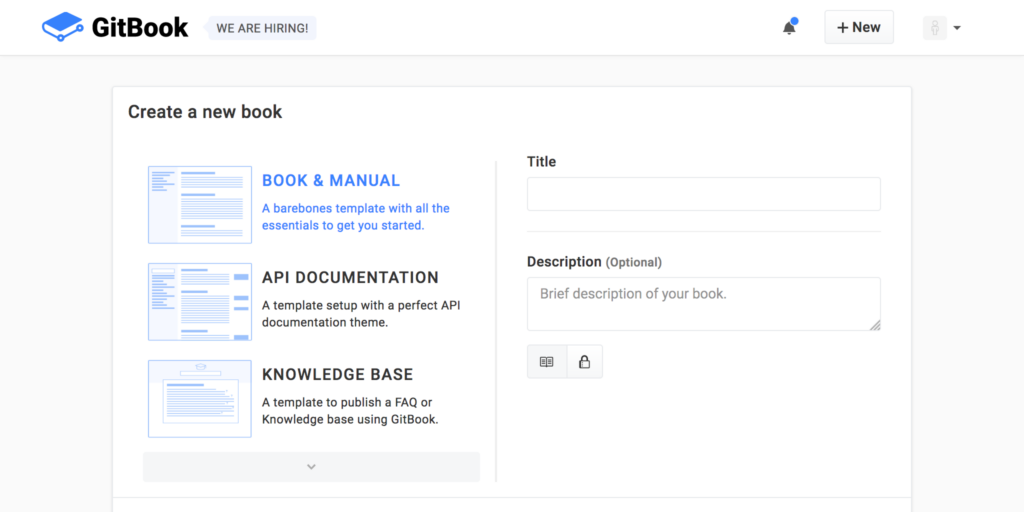
Overleaf Book Templates
An online LaTeX editor with a gallery of book and memoir templates. Everything runs in the browser, with built-in collaboration.
- Link: Overleaf Book Template Gallery
- Best for: Academics and technical writers who need structured documents with rich formatting
CTAN – Memoir Class
The memoir LaTeX class supports fiction, nonfiction, poetry, and textbooks with fine control over headings, page design, footnotes, and indexing.
- Link: CTAN – Memoir Class
- Best for: Experienced LaTeX users building multi-genre print books from scratch
Leanpub
Write in Markdown or Leanpub's Markua format, and the platform generates a clean, well-formatted ebook and PDF. Popular with tech authors and nonfiction writers.
- Link: Leanpub
- Best for: Developers and nonfiction writers who prefer writing in plain text
GitBook
A documentation platform that produces highly readable structured content from Markdown. Best for web-first books, open-source guides, or internal handbooks.
- Link: GitBook
- Best for: Teams creating web-first documentation or open-source books
Low/No-Content Interior Tools
For KDP publishers creating journals, planners, and activity books. Low-content publishing is one of the fastest-growing niches in self-publishing. These tools specialize in generating compliant interiors for KDP without requiring you to write original content.

Tangent Templates
A comprehensive web-based platform for no-content and low-content KDP interiors, with a cover generator and category research tool built in.
- Link: Tangent Templates
- Best for: KDP publishers who want an all-in-one toolkit for low-content book production
Creative Fabrica – KDP Interiors
A growing library of KDP interiors, including calendars, trackers, puzzle books, and more, often bundled with matching covers or fonts. Many are included with a subscription.
- Link: Creative Fabrica – KDP Interiors
- Best for: Designers or hobbyists creating themed or seasonal low-content books
KDP Lined/Blank Templates (Amazon)
Amazon's own basic PDF and DOCX templates for lined notebooks and blank journals. Simple, compliant, and free.
- Link: KDP Lined and Blank Templates
- Best for: First-time KDP authors creating simple notebooks or journalsovide a simple way to stay consistent and compliant with print-on-demand standards.
Cover & Trim-Size Helpers
Use these before you design a single page of your cover. An incorrectly sized cover will be rejected by print-on-demand platforms or print with a misaligned spine. These tools generate exact, platform-specific templates based on your page count, trim size, and paper type.

KDP Cover Calculator
Input your trim size, page count, paper type, and binding and download an exact cover template in PDF or PNG. The most-used tool for Amazon KDP authors.
- Link: KDP Cover Calculator
- Best for: KDP authors designing their own paperback or hardcover cover
IngramSpark Cover Template Generator
Generates cover templates in INDD, PDF, and PNG format for IngramSpark's slightly different margin and bleed requirements.
- Link: IngramSpark Cover Template Generator
- Best for: Authors distributing through IngramSpark who need print-ready cover files
Lulu Cover Design Templates
Cover and interior templates for every Lulu trim size, including safety zones, bleeds, and spine dimensions.
- Link: Lulu Templates & Guidelines
- Best for: Authors using Lulu who want platform-matched cover specs
DIY Book Covers – Free Cover Creator
A guided drag-and-drop cover tool for first-time authors who don't have graphic design software.
- Link: DIY Book Covers
- Best for: Beginners creating a first cover without design software a designer, using these resources will help you provide the exact specifications needed to get professional, print-ready results.
Scrivener & Writing Software Templates
For authors who want to organize before they format. Writing software like Scrivener provides project templates that help you structure your book during drafting...before you ever think about layout.
Scrivener Built-In Templates
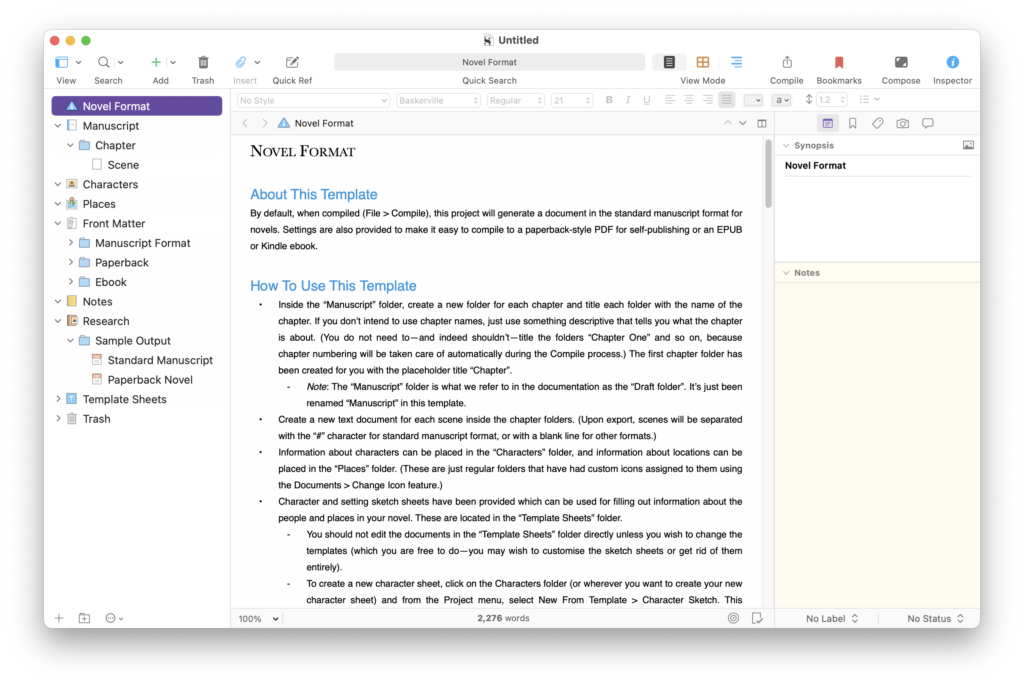
Scrivener ships with project templates for novels, short stories, nonfiction, and scriptwriting. These structure your manuscript from the start with folders for chapters, front matter, and notes. Pair this with a solid book outline before you start drafting.
- Link: Scrivener Tutorial Videos
- Best for: Writers who want organizational structure built into their drafting environment
Scrivener Community Templates
Hundreds of custom genre-specific templates created and shared by Scrivener users, including novel planners, nonfiction outlines, hybrid plotting frameworks, and more.
- Link: Literature & Latte Forums
- Best for: Authors who want genre-specific frameworks within Scrivener
Atticus (Writing + Formatting)
Atticus functions as both a writing environment and a formatting tool, making it one of the few options that bridges drafting and publishing in a single cross-platform app.
- Link: Atticus
- Best for: Authors who want to write and format in one place on any device
Ulysses Book Export Presets
Ulysses (Mac and iOS) offers powerful export styles for producing clean EPUB, DOCX, or PDF files from a distraction-free writing environment.
- Link: Ulysses Export Styles
- Best for: Apple users who want polished exports from a minimalist writing app
Print-on-Demand Portal Templates
Platform-specific templates from publishing services. If you're publishing directly through a specific POD service, their own templates are the most reliable way to ensure compatibility. This is also one of the cheapest ways to publish a book.

Blurb Book Templates
Free InDesign templates and the Blurb-native BookWright tool for photo books, trade books, and art-heavy projects.
- Link: Blurb Book Templates
- Best for: Authors or visual storytellers creating photo books, cookbooks, or portfolios
BookBaby Interior Templates
Free downloadable interior and cover templates matched to BookBaby's trim sizes. Use these to DIY your layout before uploading to their service.
- Link: BookBaby Book Templates
- Best for: Authors using BookBaby who want to format their own files
Bookemon Templates
A browser-based editor with built-in templates aimed at educational publishers, family histories, and school projects.
- Link: Bookemon
- Best for: Teachers, parents, and community writers creating personal or classroom print books
Which Book Template Should You Use? (Quick Decision Guide)
| Your Situation | Best Template |
| Publishing on Amazon KDP | KDP Official Templates + Reedsy or Atticus |
| Writing your first novel | Reedsy Book Editor (free) |
| Mac user, serious about quality | Vellum |
| PC/Windows user | Atticus |
| Visually rich book (planner, workbook) | Canva |
| Academic or technical book | Overleaf (LaTeX) |
| Low-content KDP publishing | Tangent Templates |
| Need a cover template | KDP Cover Calculator or IngramSpark |
Common Mistakes Authors Make With Book Templates
Using the wrong trim size. The most common formatting error. Always confirm your trim size before downloading a template—Amazon KDP, IngramSpark, and Lulu each have slightly different standard sizes.
Ignoring bleed settings on covers. Cover designs without proper bleed result in white borders around the edges in print. Always use a platform-specific cover template generator rather than guessing dimensions.
Formatting in a tool that doesn't export cleanly. Some tools look great on screen but produce messy EPUB or PDF files. Reedsy, Vellum, and Atticus are the most reliable for clean, publication-ready exports.
Skipping the template entirely. Many first-time authors try to format from scratch in a blank Word document. This costs hours and usually results in rejection or a poorly printed book. And once your book is published, make sure you're not also skipping your Amazon SEO strategy. Discoverability matters as much as formatting.
Frequently Asked Questions
What is a book template? A book template is a pre-formatted file that sets your margins, fonts, line spacing, and trim size so your manuscript meets the technical requirements of print-on-demand platforms like Amazon KDP, IngramSpark, or Lulu. Once you've formatted your book, you'll also need to sort out your ISBN number before publishing.
What's the best free book template for Word? Amazon KDP's official DOCX templates are the most reliable free option. They're pre-set for every trim size they support and eliminate the most common upload errors.
Do I need a different template for ebooks vs. print books? Yes. Print books require precise margin and trim size settings. Ebooks (EPUB) use reflowable text and don't need fixed page dimensions. Tools like Reedsy and Atticus handle both formats from a single manuscript.
What size template should I use for a standard paperback? 6" × 9" is the most common trim size for nonfiction and most novels on Amazon. selfpublishing.com offers a free pre-formatted 6" × 9" Word template you can download directly.
Can I use Canva for a full-length novel? Technically yes, but it's not ideal. Canva works well for visual books under 100 pages. For a novel, use Reedsy, Atticus, or Vellum instead—they're built for long-form text formatting.
Ready to Format Your Book?
The templates in this guide are used by thousands of self-published authors every year, authors who've gone on to become bestsellers, build audiences, and create lasting impact with their books. Curious what a self-published author can earn? The numbers might surprise you.
The right template is just the beginning. If you're still figuring out how to structure your manuscript, start with our guide on how to write a book.
If you want expert guidance on writing, formatting, and publishing your book the right way, with support at every step, schedule a free strategy call with the selfpublishing.com team. We've helped thousands of authors go from blank page to published, and we can help you do the same.
Or start with our free 6" × 9" book template. We designed it for standard US Trade paperback publishing on Amazon KDP.
Get Our 6″ x 9″ Pre-Formatted Book Template for Word or Mac
We will send you a Book Template for US Trade (standard paperback size).

![Book Outline: How to Outline a Book in 7 Steps [Template Included]](https://selfpublishing.com/wp-content/uploads/2024/02/book-outline.jpeg)