

















TL;DR
A book back cover is the panel opposite the front cover, and it's one of your strongest sales tools. It typically includes a tagline, a blurb (the sales pitch), testimonials, an author bio, and, for print books, the ISBN barcode and price. The front cover earns the pickup; a clear, compelling back cover earns the purchase.
When a front cover intrigues you, what do you do? You flip the book over. You're looking for a pitch: what is this about, and is it for me? That's the moment the back cover has to win. The front cover is showmanship, a visual promise of the book to come. The book back cover carries more weight than most authors give it credit for, and there's a real craft to making it work.
Below, we'll cover what a book back cover is, what belongs on it, how to write a blurb readers can't resist, the print specs you'll need, and examples to model. By the end, you'll be able to build a back cover that turns browsers into buyers.

Get A Book Cover Design Checklist!
People DO judge books by their covers. Grab a quick checklist to make sure your cover gets the attention of your audience.
What is a book back cover?
The back cover is the rear panel of a book, opposite the front cover. On paperbacks it carries the blurb, testimonials, author bio, and barcode. On hardcovers, much of that copy often lives on the dust jacket and its inside flaps.
A few terms get used interchangeably, so here's the quick map:
Back cover. Exactly what it sounds like: the panel on the opposite side from your cover art. In the publishing supply chain it's sometimes called "Cover 4."
Dust jacket. The removable printed shell that wraps a hardcover. It usually repeats the front cover art and carries back-cover copy, with the author bio and extra blurbs printed on the fold-in flaps.
Blurb. The short sales pitch that describes the book. A blurb can be your own summary, a testimonial from another author, or a one-line tagline. It is not a full synopsis, and that distinction matters, which we'll get to below.
What goes on the back cover of a book?
A book back cover usually includes a tagline, a blurb, testimonials, and an author bio, plus the ISBN barcode and price on print editions. Nonfiction leans on author authority; fiction leans on hook and atmosphere.
Not every book uses every element, but most strong back covers pull from this list:
- A tagline or hook near the top, so a skimming reader gets the promise in one line
- The blurb, your 100 to 200 word sales pitch for the book
- Testimonials or editorial endorsements that lend credibility
- An author bio (and sometimes a photo) to build a connection and, for nonfiction, authority
- Awards or other titles the author has published, if relevant
- A publisher logo, if you're using an imprint
- The ISBN barcode and price on the lower portion, required for most print and retail
Testimonials
A testimonial is a brief endorsement from another author or a trusted publication. Horror novels, for example, famously carry lines from established names in the genre. A short, credible quote signals two things at once: the book is good, and it's in the same vein as books by the author giving the praise. Readers trust recommendations, especially from authors they already like.
The summary, or blurb
The summary on a book cover is a brief description of what the book is about, not a complete plot summary. The goal is to make the reader want to buy and find out for themselves. For fiction, include the premise, the setting, the main character, and a hint of the conflict, then stop before the resolution. Think of a movie trailer: you're hooked by the atmosphere, the characters, and the promise of what's coming, not by knowing how it ends.
Awards and other books
Mentions of awards or the author's other titles work like testimonials, lending credibility by association. This is common for established authors, but newer authors can do it too if they've earned notable recognition. If an author is known for one specific book, that title usually gets named here so readers make the connection.
Author bio
An author bio is a short piece about the person behind the book. It might mention where they live, their background, other books they've written, or what they're working on next. For nonfiction, the bio does heavy lifting: it's where you establish why you're the right person to be teaching this. For fiction, it's optional but helps humanize you and build a connection with readers.
How to write a back cover blurb that sells
A great blurb is short, hooks with character and conflict, and stops before it gives the story away. Aim for 100 to 200 words of clear, crisp copy that makes the reader feel like they're discovering the book.
After the front cover, the blurb is the most important element on your cover. Here's how to make it land.
Keep it short
Long blurbs tell the reader too much. The goal is for them to feel like they're discovering the story, not getting it handed to them. Keeping it short also forces you to include only the most exciting parts. Focus on the main plot and hint at the most important subplot. Cut passive voice, unnecessary adverbs, and clunky wording. Blurbs should be streamlined.
Don't give everything away
Give readers exactly enough to know what they're getting into, and make them read the book to find out more. Show an enticing snapshot of the world you're promising, but not so much that they feel like they've already seen it.
Lead with character
People are drawn to people. Introduce your main character early and make the reader care about them and what they're up against. If readers are invested in your character, they'll follow them anywhere, including to the checkout.
Show the stakes
Introduce the conflict as soon as you can. What's the premise? What does the main character stand to lose? Stakes are what make a reader lean in. The bigger and clearer the stakes feel, the more interested the reader becomes.
A simple blurb structure
If you're staring at a blank page, these outlines give you a reliable starting point. Adapt, don't follow them robotically.
For fiction:
- A one-line tagline that sets the tone
- Your protagonist and what they want
- The inciting conflict that upends their world
- The stakes, and the central dramatic question
- A final line that hooks without resolving
For nonfiction:
- The problem or pain your reader is living with
- The transformation or outcome you promise
- A few bullet points on what they'll learn or gain
- A line of author authority (why you)
- A closing nudge to start reading
Book back cover dimensions and barcode specs
Your print cover is one file containing the back cover, spine, and front cover. Build it at 300 DPI in CMYK with a 0.125 inch bleed, and reserve a roughly 2 by 1.2 inch barcode area in the lower portion of the back cover.
Design and copy aside, a back cover only works if it's print-ready. Specs vary slightly by printer, so always download the template from your printer (Amazon KDP, IngramSpark, and others each provide one), but these figures are typical:
| Element | Typical requirement |
|---|---|
| Cover file | One PDF containing back cover, spine, and front cover as a single wraparound image |
| Resolution | 300 DPI minimum for all images and artwork |
| Color | CMYK color profile for accurate print output |
| Bleed | 0.125 in (3.2 mm) beyond the trim on all outer edges |
| Safe area | Keep all text and key elements at least 0.125 in inside the trim line |
| Spine text | Allowed only once the book reaches about 79+ pages (KDP rule) |
| Barcode area | Roughly 2 in x 1.2 in, placed in the lower region of the back cover |
| Barcode clearance | On a light background, clear of the spine, trim edge, and artwork |
ISBN and barcode placement
The ISBN barcode (the Bookland EAN) belongs on the lower portion of the back cover, traditionally the bottom right corner, so retailers can scan it quickly. Keep it on a white or light background with clear space around it, and never stretch, rotate, or place it over busy artwork. The human-readable ISBN sits directly above the bars, and the price can be encoded in the add-on to the right. If you'd rather not supply your own, KDP will place a compliant barcode for you automatically.
Worth knowing: a back of book cover isn't optional for print. KDP and IngramSpark both require a full wraparound cover with a back panel. And because Amazon now lets shoppers view the back of many paperbacks online, your back cover sells in the store and on the product page.
How to design your back cover
Design the back cover for readability, not flair. It should feel like the same book as the front, organize information cleanly, and stay legible above all else.
The rules here differ from front-cover advice. The front grabs the eye; the back of a book conveys information. Keep these guidelines in mind:
Function over flair
Back covers should be readable, clear, and uncluttered. A legible, well-organized back cover beats a stylized one readers can't actually read. Pull the color scheme and font family from your front cover so the two feel cohesive, and let a clean layout do the work.
Match the front cover
The back doesn't have to mirror the front exactly, but it should feel like the same book, from typeface to palette. If the front earned the pickup, your job on the back is to keep that momentum going without a jarring shift in style.
Study your genre
Look at recent releases in your genre to see how their back covers handle layout and blurb length. It's fine to stand out, but stand out on purpose, not because you skipped the research.
Get a professional opinion
If you don't have the time or design skills to build a polished cover, hiring a professional is often the right move. Do your research and find a designer whose work fits your budget and genre.
Want this done right the first time? Cover design is built into our publishing programs at selfpublishing.com, so your front and back covers are handled by professionals who know what sells in your genre. Talk to our team about your book.
Book back cover examples
Strong back covers, fiction and nonfiction alike, open with a hook, keep the copy tight, and close with a reason to buy. Here's what that looks like in practice.
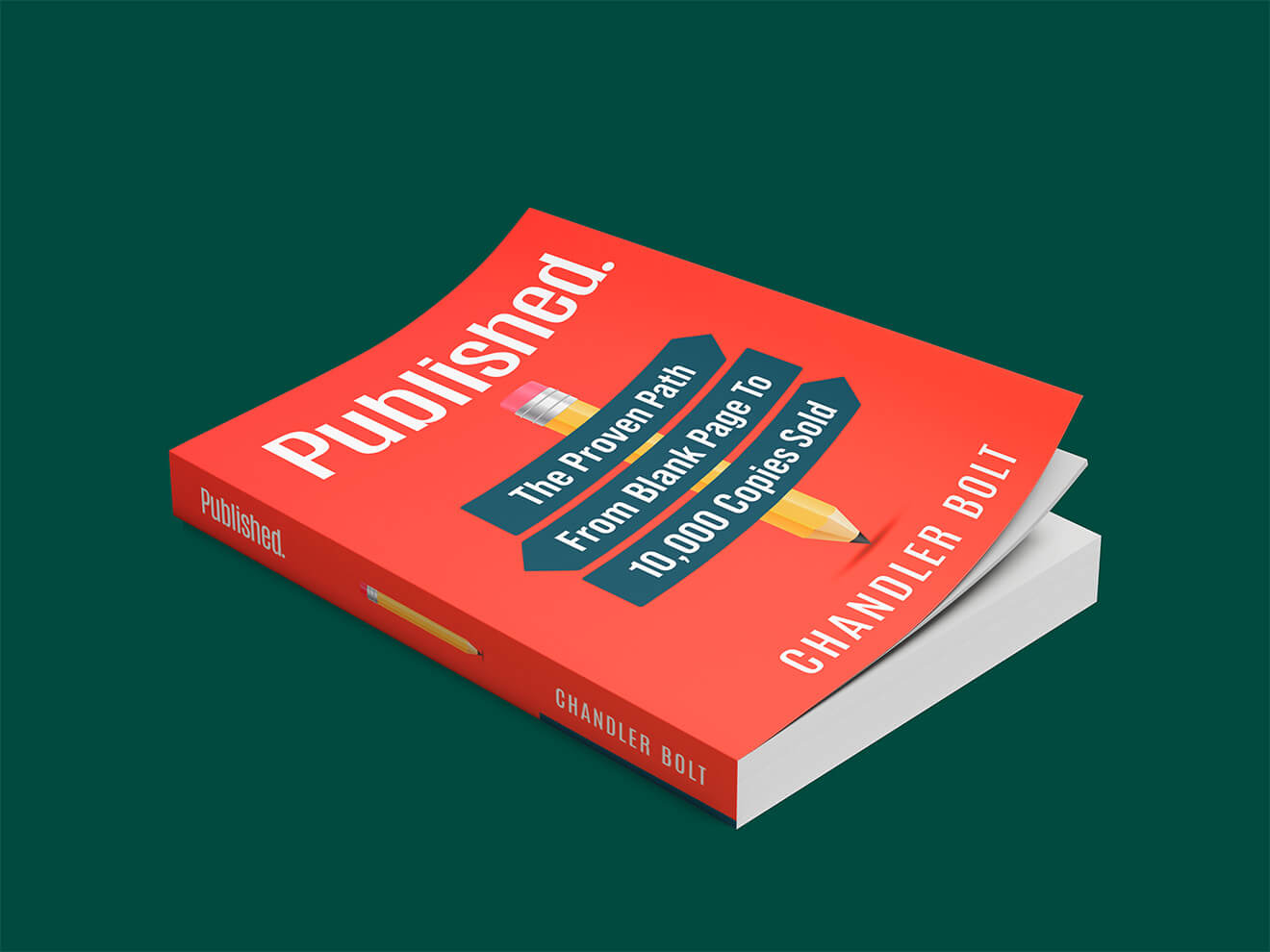
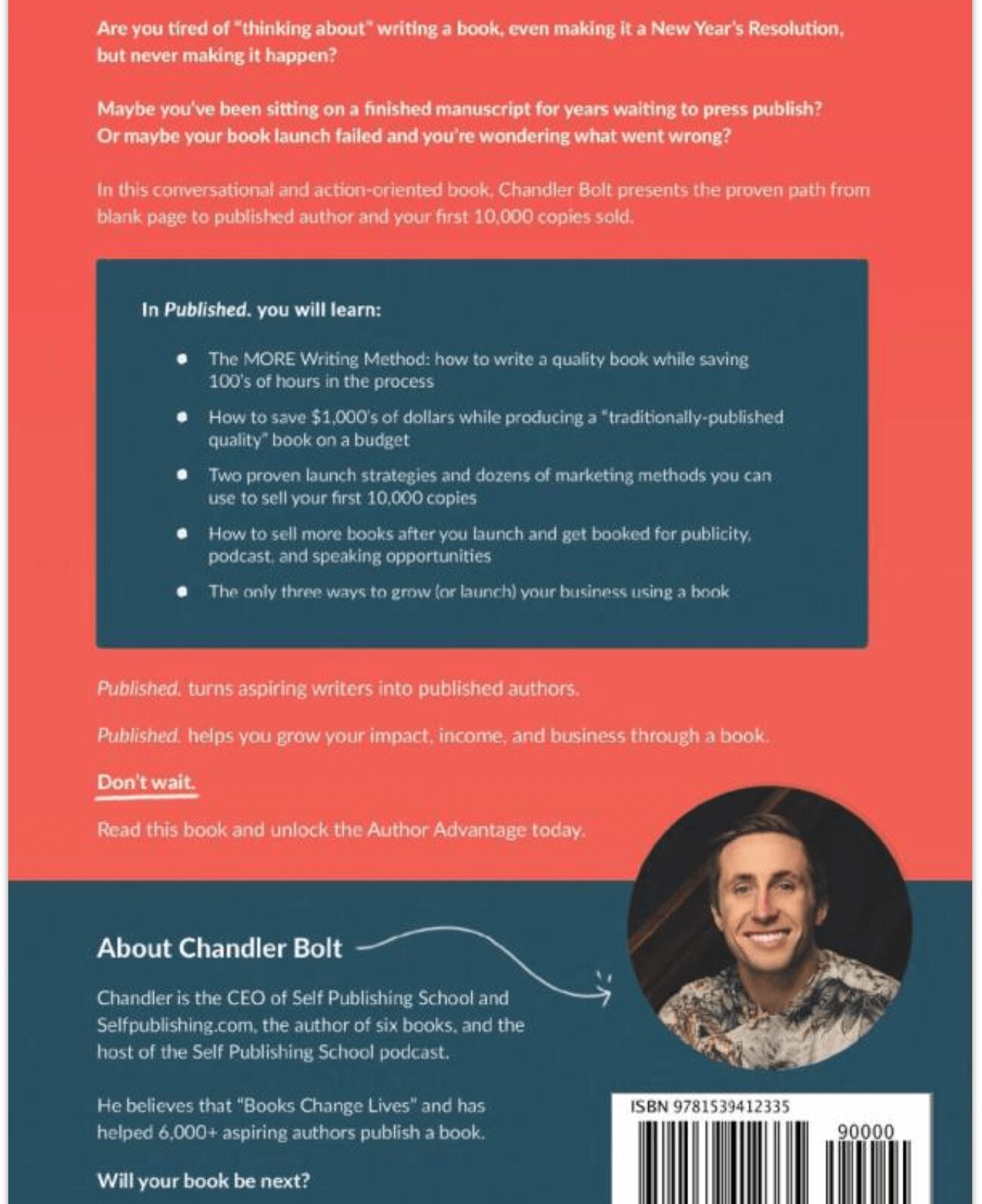
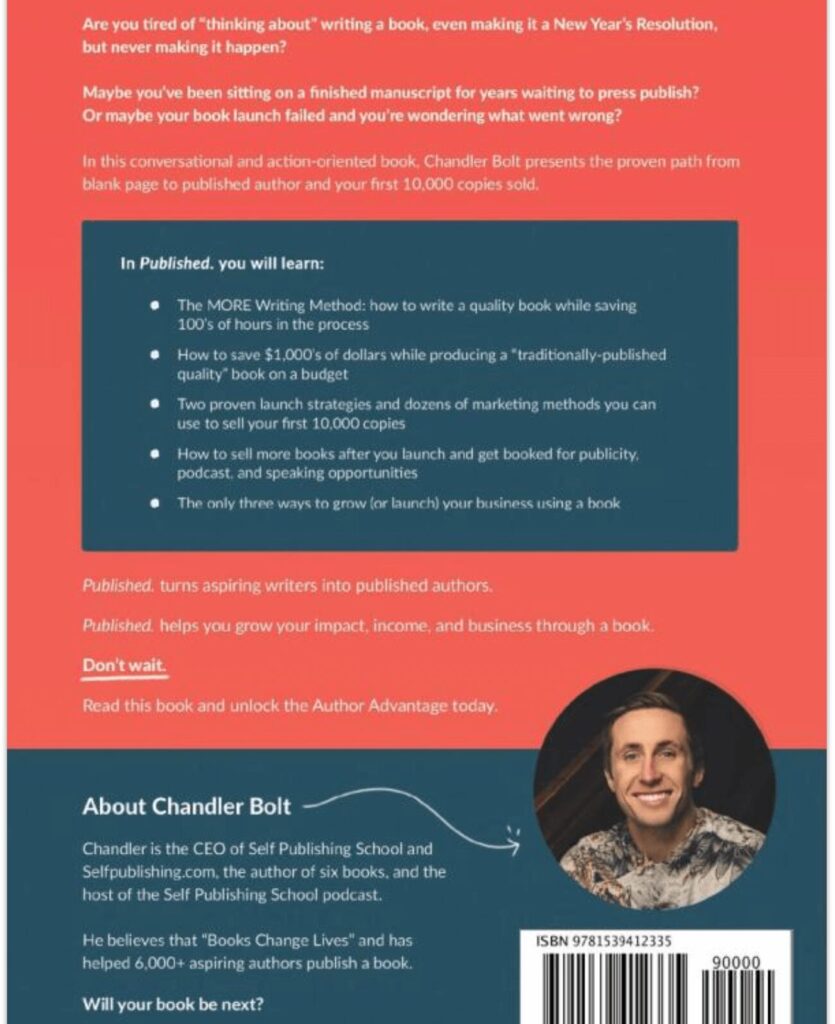
Nonfiction example: Published. by Chandler Bolt
What works
- Broken into short, scannable sections
- Opens with a question that hooks the reader
- Bullet points that promise clear takeaways
- A closing challenge that prompts action
- A brief author bio framed around reader benefit
The back cover of Published. reads like a mini sales page: it names the reader's goal, proves the payoff with specifics, and tells them exactly what to do next. That's the nonfiction formula in action, authority plus a clear promise.
Fiction example: an urban fantasy thriller

What works
- An image that immediately signals the genre
- An opening paragraph that hooks the reader
- A blurb long enough to set up the plot, short enough to leave them wanting more
- A glimpse of the characters and the central conflict
For a deep well of inspiration, our sister brand The Book Designer has a roundup of back cover examples worth studying, including covers that break the standard block layout on purpose. Browse a few in your genre before you start.
Common back cover mistakes to avoid
The most common back cover mistakes are an overlong blurb, a design that fights legibility, and forgetting the print essentials like the barcode and safe area.
An overlong blurb
If a reader has to wade through half your plot on the back cover, you've spent your suspense before they've bought the book. Trim hard. One sharp paragraph usually beats three.
A design that fights the reader
Decorative fonts, low contrast, and text crammed over busy art all cost you sales. Readability comes first, every time.
Skipping the print essentials
Forgetting the barcode area, ignoring the safe zone, or placing text into the spine are the kinds of errors that get a cover rejected at upload. Use your printer's template from the start.
Your cover deserves to sell as hard as your book
We've helped authors publish over 7,000 books, and design is part of how we do it. If you want professional front and back covers, plus a clear path from manuscript to launch, let's talk. Book a free strategy call today.
Frequently asked questions
What is the back cover of a book called?
It's simply called the back cover, and in the publishing supply chain it's sometimes referred to as "Cover 4." On a hardcover, the removable printed wrap that carries this copy is the dust jacket, and the author bio often appears on its inside flap.
How many words should be on a book's back cover?
The blurb itself usually runs 100 to 200 words. Total back cover copy, including a tagline, a short testimonial or two, and an author bio, often lands around 250 words. Shorter and sharper almost always outperforms long and complete.
Where does the ISBN barcode go on a back cover?
On the lower portion of the back cover, traditionally the bottom right corner, on a light background with clear space around it. Keep it away from the spine, trim edge, and any artwork so retailers can scan it reliably.
Does an ebook need a back cover?
No. Ebooks use only the front cover image, and there's no printed panel to scan, so no barcode is needed. Your blurb still matters, though, since it becomes the book description on retailer pages.
What's the difference between a blurb and a synopsis?
A blurb is a short, spoiler-free sales pitch meant to entice a reader, usually 100 to 200 words. A synopsis is a longer document that summarizes the entire plot, including the ending, and is written for agents or publishers, not readers.
Do I need a back cover to publish on KDP?
Yes, for print. KDP and IngramSpark both require a full wraparound cover that includes the back cover, spine, and front cover as a single file. Ebooks are the exception and need only the front cover.